Management API
Manage devices, firmware, alerts, and deployments, query events over HTTP.
Download OpenAPI document
The Management API is a REST API for everything you can do in the Spotflow platform: including managing devices, rolling out firmware, querying metrics, and configuring alerts.
Select an endpoint from the sidebar to see its parameters, response schema, and examples, or to send a request straight from the browser. Every endpoint is generated from the OpenAPI document above, so you can also use it to generate a client for your programming language or import the API into other tools like Postman.
Authentication
All API requests require an API key to be included in the Authorization header as a bearer token.
curl https://api.spotflow.io/workspaces/{workspaceId}/devices \
  -H "Authorization: Bearer sf_wkv1_..."
Every API key has some scopes associated with it, which determine what endpoints it can access. See the individual endpoint page for the scopes it requires.
There are two types of API keys:
- User API keys are associated with a user account and can only access workspaces the user is a member of. Each user manages his own keys.
- Workspace API keys are associated with the specific workspace and cannot access other workspaces. Those keys are managed by workspace members.
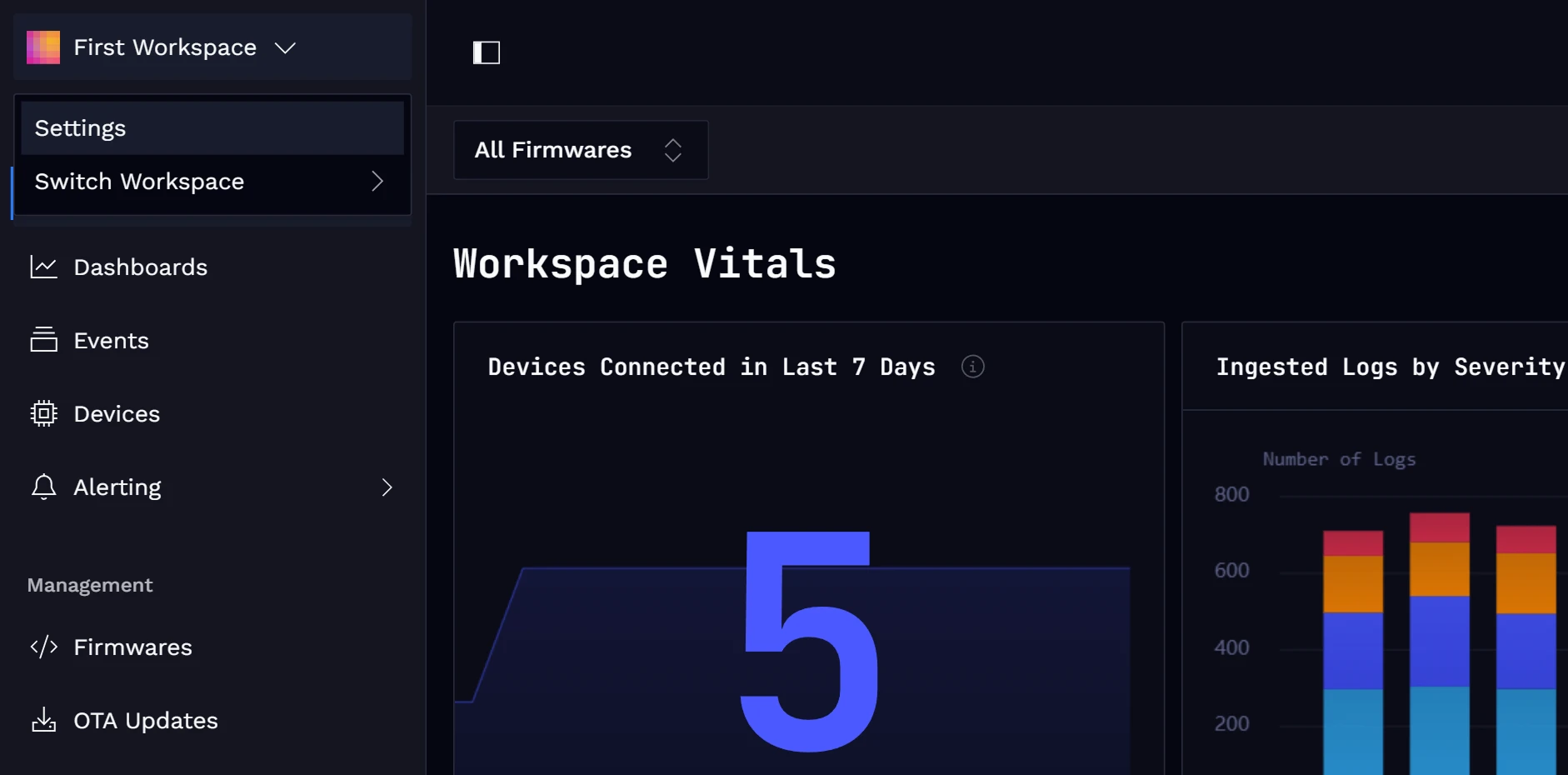
To Generate API Key Go to the Settings
Click on the workspace name in the top-left corner, and choose Settings from the dropdown menu.
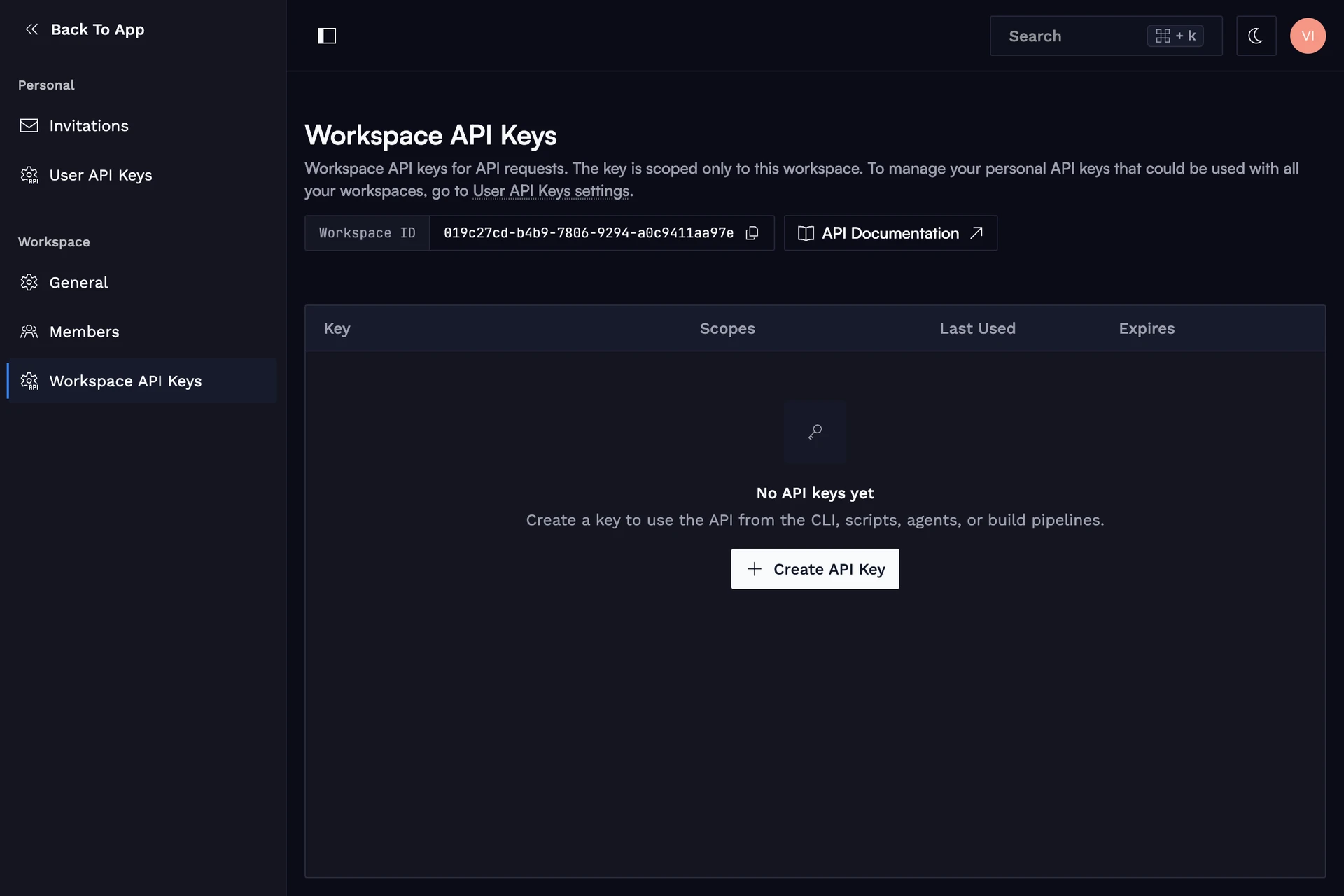
Open API Keys Page
Select in the sidebar either the user or workspace API keys. Then click Create API Key.
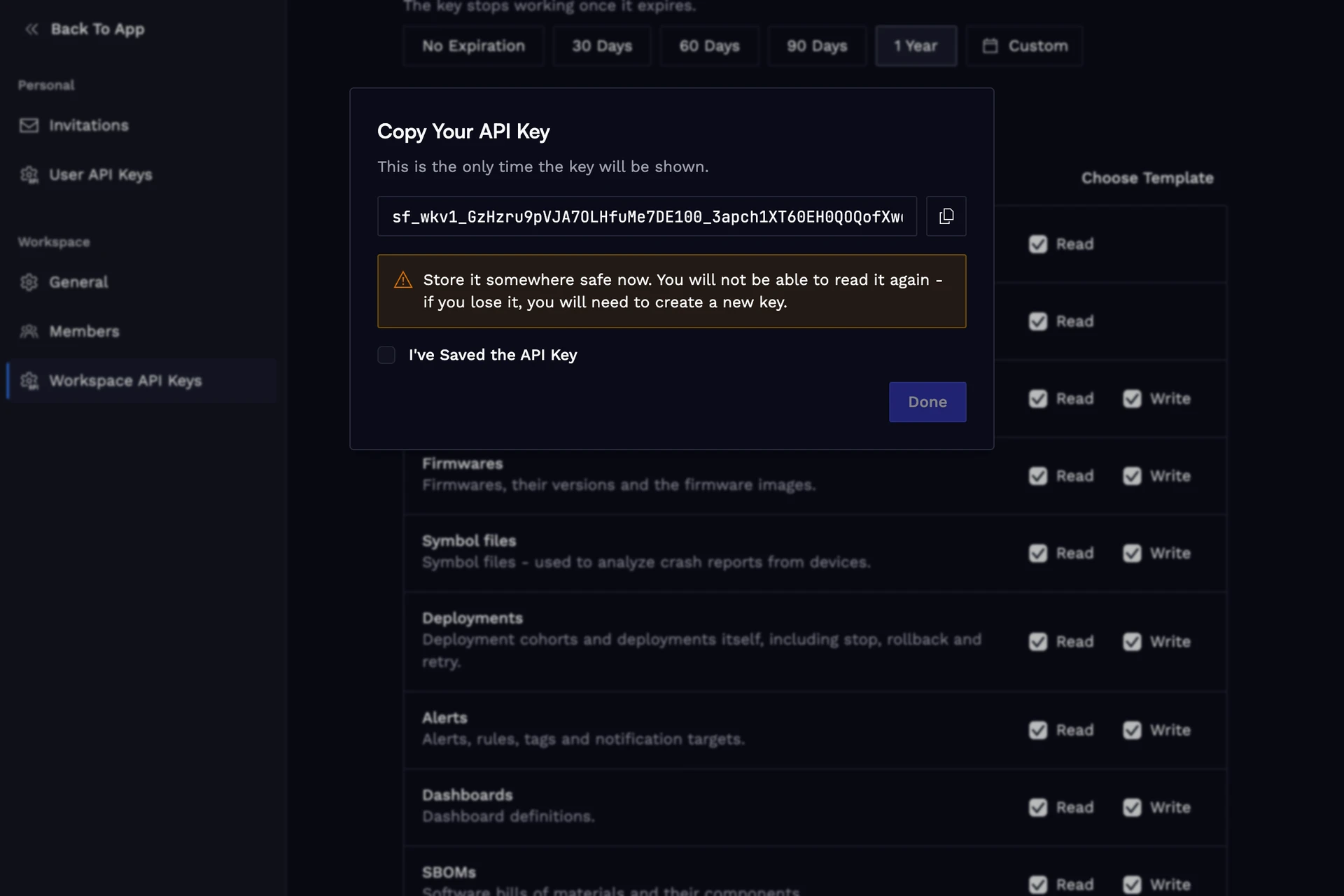
Create API Key
Fill up the form and ensure you store the generated key somewhere safe, as you won't be able to see it again.
Workspaces
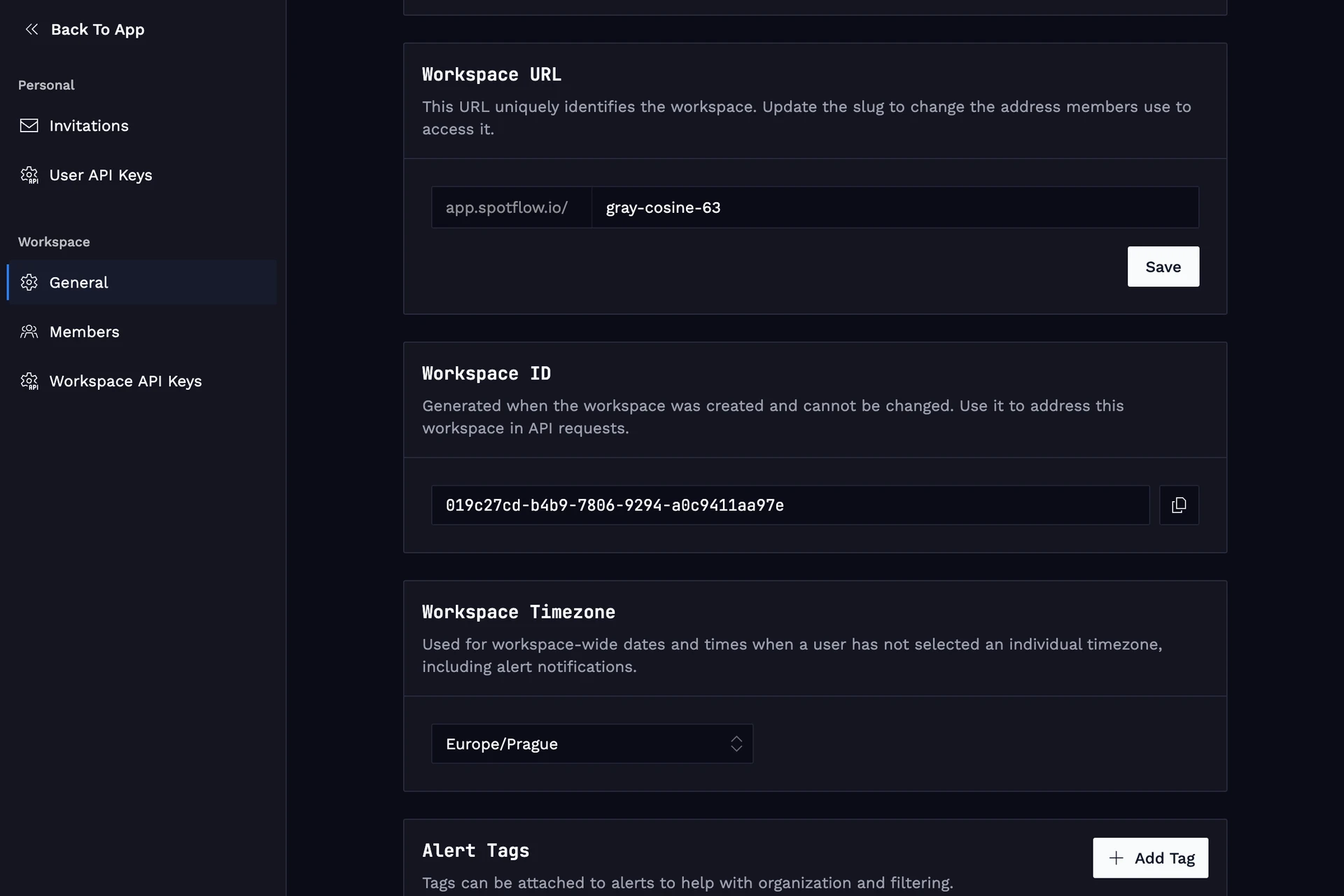
Most routes are scoped to a workspace and take a workspaceId path parameter. You can find it by going to the workspace general settings.