Bluetooth Low Energy
How Spotflow devices forward telemetry through a Bluetooth Low Energy gateway using the Spotflow BLE GATT service and framed stream protocol.
Bluetooth Low Energy support uses a gateway architecture. A leaf device exposes the Spotflow Observability Service over BLE, and a gateway connects to that service, reads device context, receives framed messages, and forwards them to Spotflow over MQTT.
This page describes the BLE communication format: roles, GATT service layout, stream characteristics, message types, and frame encoding.
Roles
| Role | Device |
|---|---|
| BLE central | Gateway |
| BLE peripheral | Leaf device |
| GATT client | Gateway |
| GATT server | Leaf device |
The leaf device is the source of telemetry. The gateway bridges the BLE stream to Spotflow MQTT topics.
GATT service
The Spotflow BLE protocol uses the following UUID layout:
| Item | UUID |
|---|---|
| Service UUID | 26530001-81E5-4861-82AE-2C92E6887922 |
The service exposes these characteristics:
| Name | UUID fragment | Properties | Description |
|---|---|---|---|
| Capabilities | 26530002-81E5-4861-82AE-2C92E6887922 | READ | Protocol version. The initial protocol version is 0x01. |
| Device ID | 26530003-81E5-4861-82AE-2C92E6887922 | READ | Device ID the gateway uses when connecting the device to Spotflow. |
| Session Metadata | 26530004-81E5-4861-82AE-2C92E6887922 | READ | CBOR-encoded Session Metadata message. The gateway forwards this payload to the ingest-cbor MQTT topic. |
| TX Stream | 26530005-81E5-4861-82AE-2C92E6887922 | NOTIFY | Device-to-gateway stream for telemetry and reported configuration messages. |
| RX Stream | 26530006-81E5-4861-82AE-2C92E6887922 | WRITE without response | Gateway-to-device stream for desired configuration messages. |
Streams
The protocol uses one stream in each direction:
| Stream | Direction | BLE property | Used for |
|---|---|---|---|
| TX Stream | Device to gateway | NOTIFY | Telemetry and reported configuration |
| RX Stream | Gateway to device | WRITE without response | Desired configuration |
The gateway controls device-to-gateway traffic through the Client Characteristic Configuration Descriptor (CCCD) on the TX Stream characteristic. When the gateway enables notifications in the CCCD, the device may send TX Stream notifications. When notifications are disabled, the device must stop sending TX Stream notifications.
Both streams use the same frame format. Framing is required because BLE messages may be larger than the negotiated MTU, which can be as low as 23 bytes.
Because there is a single stream in each direction, multiplexing is handled by the message type in each frame rather than by separate GATT characteristics.
Message types
The first byte of each frame identifies the message type. The receiver reads this byte before parsing the rest of the frame.
| Message type | Byte identifier | Fragmented | Allowed in |
|---|---|---|---|
ACK | 0x00 | No | TX/RX |
NACK | 0x01 | No | TX/RX |
TELEMETRY | 0x02 | Yes | TX |
REPORTED_CONFIGURATION | 0x03 | Yes | TX |
DESIRED_CONFIGURATION | 0x04 | Yes | RX |
TELEMETRY messages carry Spotflow telemetry payloads, including core dump chunks, metrics, and logs. When multiple telemetry payloads are pending, the device sends them in this priority order: core dump chunks first, then metrics, then logs.
ACK and NACK are defined by the frame format, but application-level acknowledgement is not currently implemented.
Frame format
Every frame starts with the message type byte:
Byte  0: Message type
Byte 1+: Data
Fragmented message types use the following frame layouts.
First fragment:
Byte    0: Message type
Byte    1: Flags
Byte    2: Message sequence number, uint8
Bytes 3-4: Total message byte length, uint16 little-endian
Bytes  5+: Fragment data
Continuation fragment:
Byte   0: Message type
Byte   1: Flags
Byte   2: Message sequence number, uint8
Bytes 3+: Fragment data
The pair of message type and sequence number identifies one fragmented message within a rolling window of 256 messages of that type.
Flags
| Bit | Name | Meaning |
|---|---|---|
| 0 | IS_FIRST | First or only fragment of a message. |
| 1 | IS_LAST | Last or only fragment of a message. |
| 2 | NEEDS_ACK | Reserved for application-level acknowledgement. ACK/NACK handling is not currently implemented. |
| 3-7 | Reserved | Set to 0. Receivers must not depend on these bits. |
Gateway flow
A gateway connects a BLE leaf device to Spotflow with this flow:
- Scan for a device advertising the Spotflow GATT service.
- Connect to the device.
- Read the Capabilities characteristic and check protocol compatibility.
- Read the Device ID characteristic.
- Read the Session Metadata characteristic.
- Establish an MQTT connection to Spotflow using the device ID and the gateway-provided ingest key.
- Publish the Session Metadata payload to the
ingest-cbortopic. - Enable notifications on the TX Stream characteristic.
- Forward
TELEMETRYmessages from the TX Stream to theingest-cborMQTT topic. - Forward
REPORTED_CONFIGURATIONmessages from the TX Stream to theconfig-cbor-d2cMQTT topic. - Forward MQTT messages from the
config-cbor-c2dtopic to the RX Stream asDESIRED_CONFIGURATIONmessages.
The gateway forwards complete message payloads between BLE and MQTT. It does not need to interpret Spotflow telemetry payloads to route them.
Delivery guarantees
The current BLE stream uses NOTIFY for device-to-gateway data and WRITE without response for gateway-to-device data. This provides best-effort delivery at the application level.
The frame format defines ACK, NACK, and the NEEDS_ACK flag for application-level acknowledgement, but that acknowledgement flow is not currently implemented.
Sample
The Spotflow device SDK includes a Zephyr sample that demonstrates the BLE transport: zephyr/samples/ble.
Use the Spotflow Web App as a BLE Gateway
For development and testing, the Spotflow Web App can act as a BLE gateway. It connects to a BLE leaf device and forwards telemetry to Spotflow over MQTT.
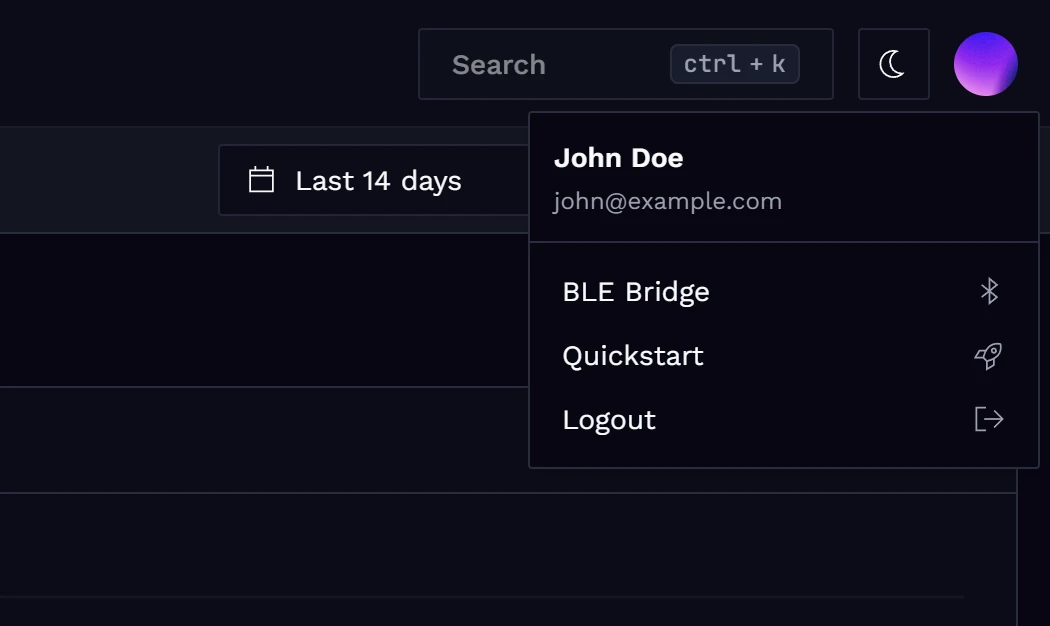
Open the BLE Gateway page from the user menu in the top-right corner of the application.
On the BLE Gateway page, select the ingest key to use for the MQTT connection. Then click Scan for BLE devices to find nearby BLE leaf devices advertising the Spotflow GATT service.
Select a device from the list to connect. Once connected, the browser forwards telemetry from the BLE device to Spotflow over MQTT.
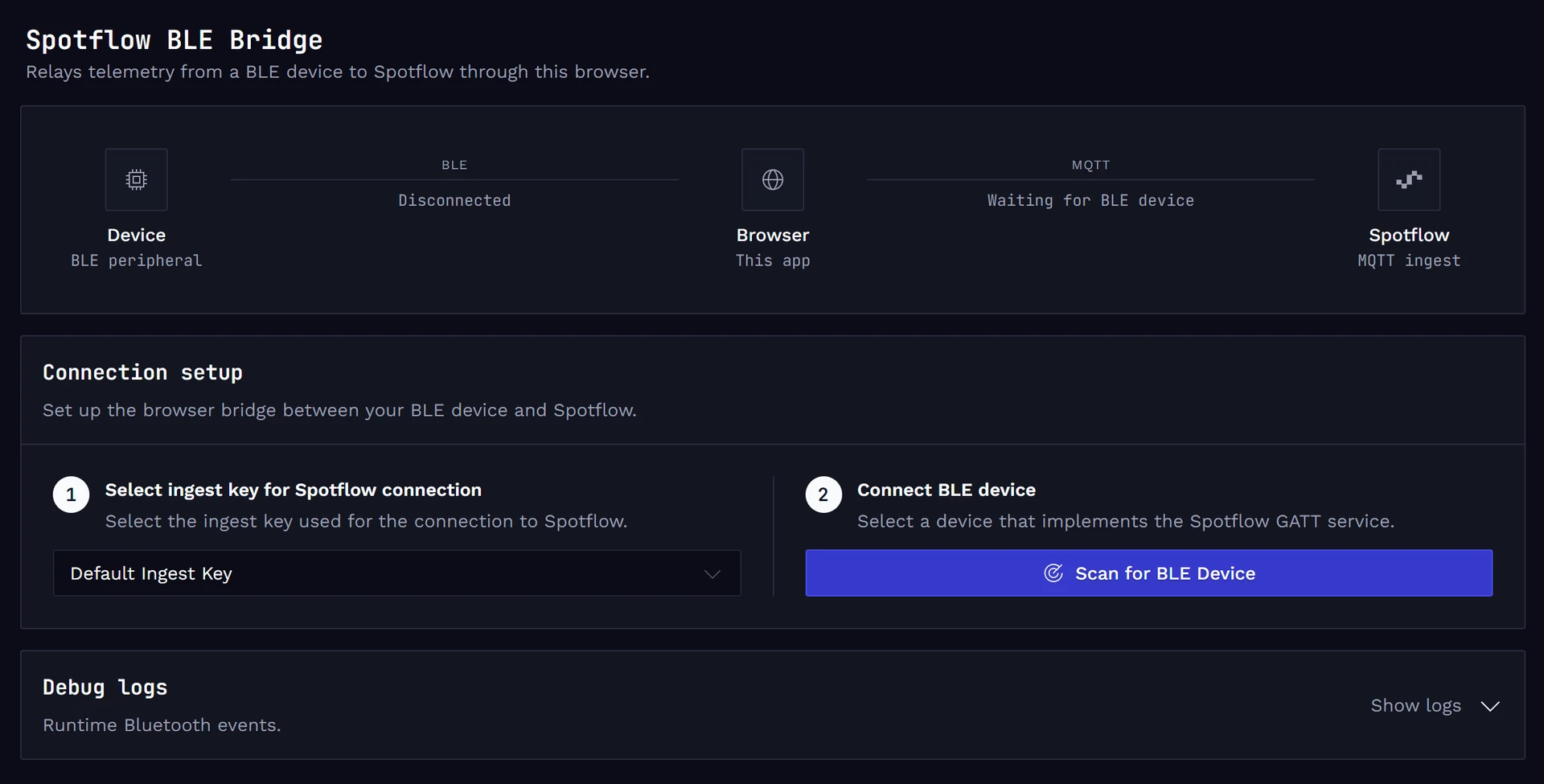
This setup is intended for development and testing because the browser Bluetooth API provides limited control over the BLE stack.