Logging
Comprehensive description of Spotflow logging including technical details.
This page walks you through all the aspects related to Spotflow logging, from integrating it into devices, through understanding the transport protocol, to analyzing and troubleshooting logs in the web application.
Getting Started with Device Integration
Guide: Zephyr or Nordic nRF Connect SDK
Spotflow offers native integration for devices running Zephyr and Nordic nRF Connect SDK through a lightweight software module. This module integrates seamlessly with your existing logging infrastructure - simply add it as a dependency and use the standard logging macros you're already familiar with.
Spotflow natively supports logging within devices running ESP-IDF through a lightweight software module. This module integrates seamlessly with your existing logging infrastructure - simply add it as a dependency and use the standard logging macros you're already familiar with.
For devices running other platforms or when you cannot use Spotflow device module, integration is also possible via standard MQTT interface. Spotflow platform exposes scalable MQTT broker accessible anywhere from the Internet that can be used to ingest logs. See Transport Protocol section for details.
Transport Protocol
Spotflow uses an optimized transport protocol based on TCP, MQTT and TLS and two serialization formats (CBOR and JSON).
MQTT over TLS
All log transmission uses MQTT over TLS (MQTTS) for secure, reliable communication:
- TLS Version: 1.2 or higher
- Certificate: Let's Encrypt ISRG Root X1 (pre-installed on many systems or included in Spotflow SDKs)
- Authentication: Devices authenticate using ingest keys as MQTT passwords and their unique device IDs as MQTT usernames.
Serialization format
There are two protocol flavors for log ingestion:
- CBOR-based: recommended for memory and bandwidth efficiency. Used by Spotflow Zephyr and ESP-IDF modules.
- JSON-based: recommended for simplicity and interoperability, especially for custom integrations over MQTT.
When building a custom MQTT integration, JSON log payloads can be used even if your device-side SDK uses CBOR by default.
Publish log messages to the ingest-json topic using the following JSON schema:
{
    // Fully interpolated log line string (optional when bodyTemplate is used)
    "body": "SmartLock was Unlocked",

    // (Optional) printf-like interpolation string for the log line
    "bodyTemplate": "SmartLock was %s",

    // (Optional) array of values for interpolation in the bodyTemplate
    "bodyTemplateValues": ["Unlocked"],

    // (Recommended) Log severity, possible values: "DEBUG", "INFO", "WARNING", "ERROR", "CRITICAL"
    "severity": "INFO",

    // (Optional) device uptime when the log was generated (milliseconds since the device booted)
    "deviceUptimeMs": 23455,

    // (Optional) time when the log was generated (milliseconds since the UNIX epoch)
    "deviceTimestampMs": 1748530133808,

    // (Optional) you can add extra metadata to your logs
    "labels": {
        "initiatorKind": "MobileApp",
        "userId": "1234567890"
    },

    // (Optional) source device ID for gateway/relay architectures — see Source Device ID
    // Can be a string (single hop) or an array of strings (multi-hop)
    "sourceDeviceId": "sensor-01"
}
Publish log messages to the ingest-cbor topic using the following CDDL schema:
log-message = {
    ? 1 => tstr,                  ; body: fully interpolated log line string (optional when bodyTemplate is used)
    ? (
        2 => tstr,                ; bodyTemplate (optional): printf-like interpolation string
        3 => body-template-values ; bodyTemplateValues (optional): values for interpolation
    ),
    ? 4 => severity,              ; severity (recommended)
    ? 5 => labels,                ; labels (optional): user-defined key-value pairs for additional context
    ? 6 => uint,                  ; deviceUptimeMs (optional): device uptime in milliseconds in range [0, 2^63 - 1]
    ? 7 => uint,                  ; deviceTimestampMs (optional): device timestamp in milliseconds in range [0, 2^63 - 1]
    ? 31 => (tstr / [+ tstr])     ; sourceDeviceId (optional): source device for gateway/relay architectures
}

labels = {* (tstr => (tstr / int / float / bool))} ; Strongly typed key-value pairs

; Integer severity values
debug-severity = 30
info-severity = 40
warning-severity = 50
error-severity = 60
critical-severity = 70
severity = (debug-severity / info-severity / warning-severity / error-severity / critical-severity)

; A strongly typed array of values, or an array of byte string representations (big-endian) of the values
body-template-values = [ * (tstr / int / float / bool / null) ] / [ * bstr ]
Device ID
Ideally, each physical device should use its own unique device ID for log ingestion (possibly even its own Ingest Key). However, we know that mistakes in device provisioning and configuration can happen so our transmission protocol is robust to multiple devices using the same device ID at the same time. In such cases, the devices will still to send logs to Spotflow without disruption.
At least once delivery
Once a log message is ingested by our MQTT broker, we guarantee that the message will be processed and made available for querying. No data loss is tolerated after acceptance. However, depending on the MQTT QoS level used for publishing, some messages might get lost before they are ingested by the broker.
Analyze Logs in the Web Application
Once your device is integrated and sending logs, you can analyze them in the web application. The main entry point is the Events page, which gives you a comprehensive view of all events collected from your devices. There, you can filter logs by their content, device ID, severity, and other metadata.
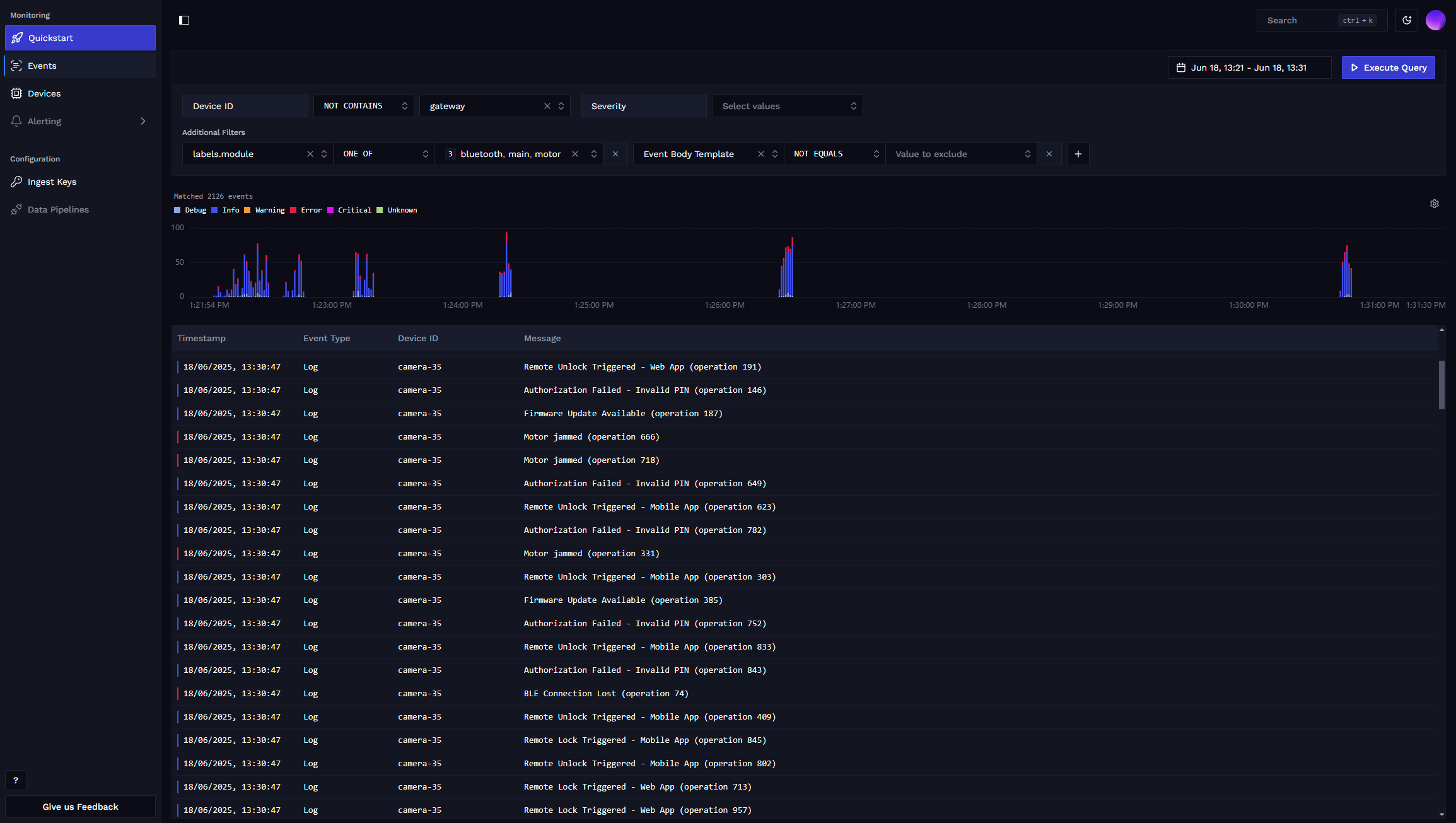
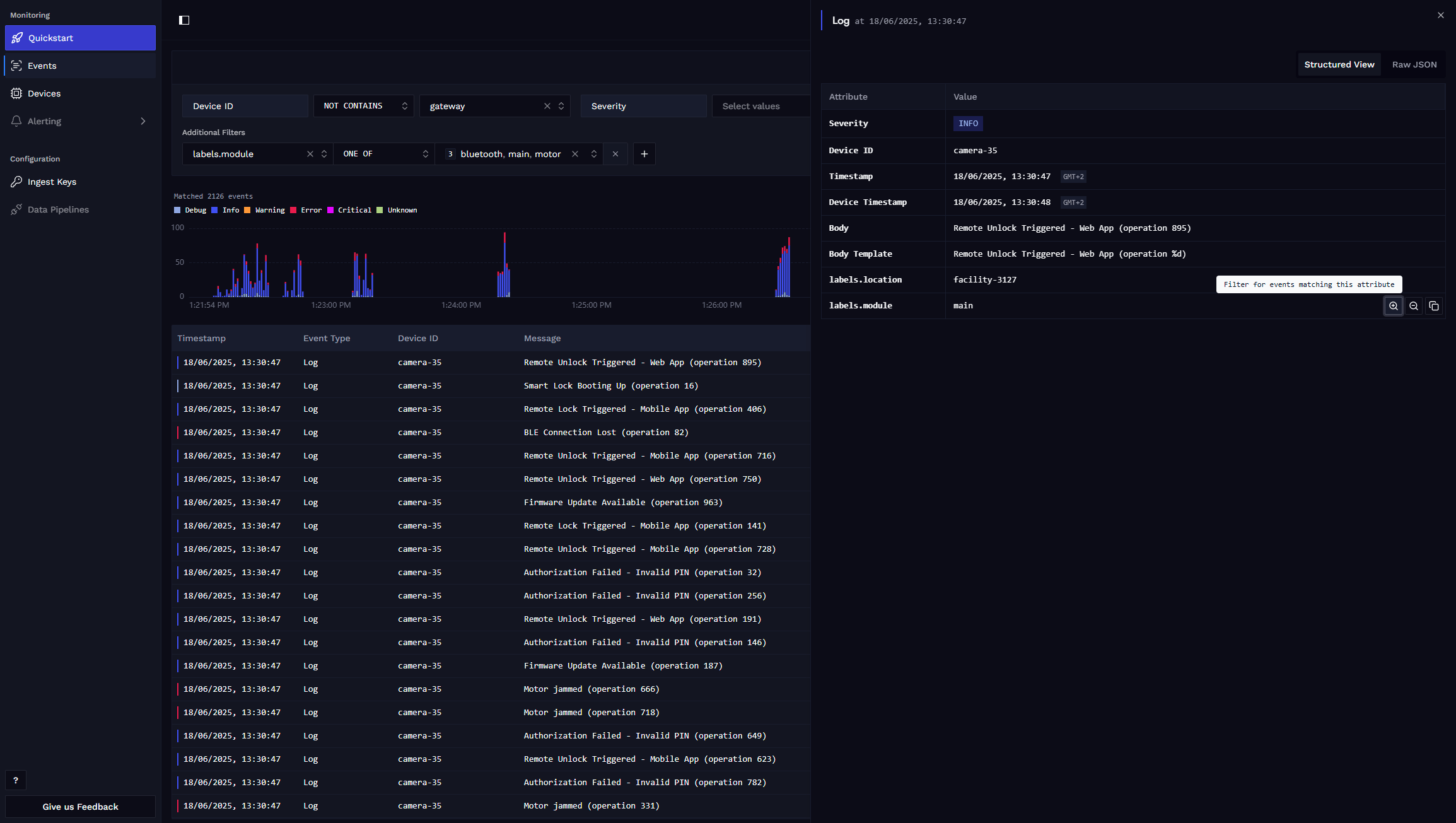
You can click on individual log messages to see their details, and it is possible to drill down into specific events by matching their metadata.
Adjust Device's Minimal Log Severity
Adjusting device's minimal log severity requires using Spotflow Device Module.
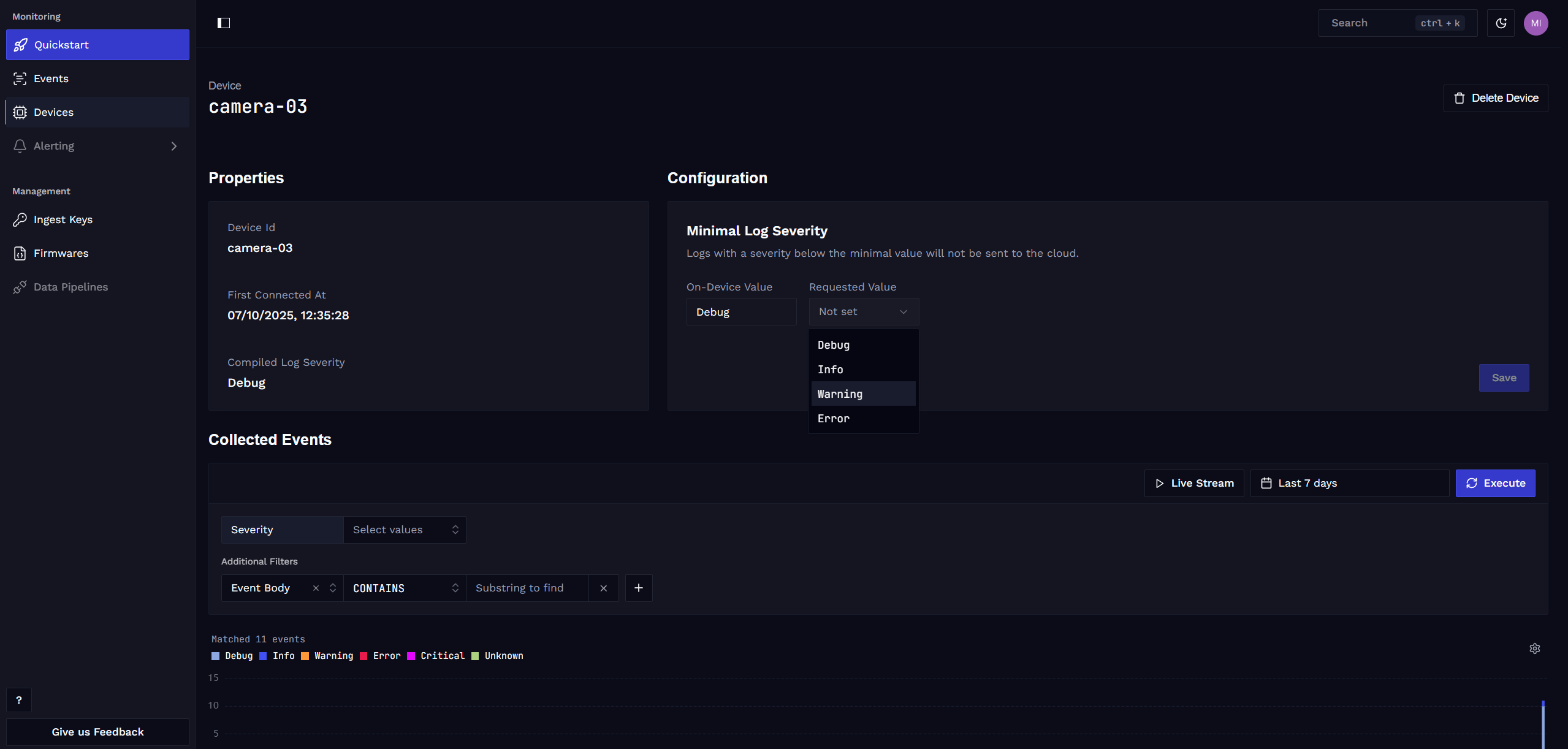
You can choose to set the minimum log severity for the logs that the device sends to Spotflow. This can significantly reduce the device's bandwidth usage and can be configured remotely in the Spotflow web application.
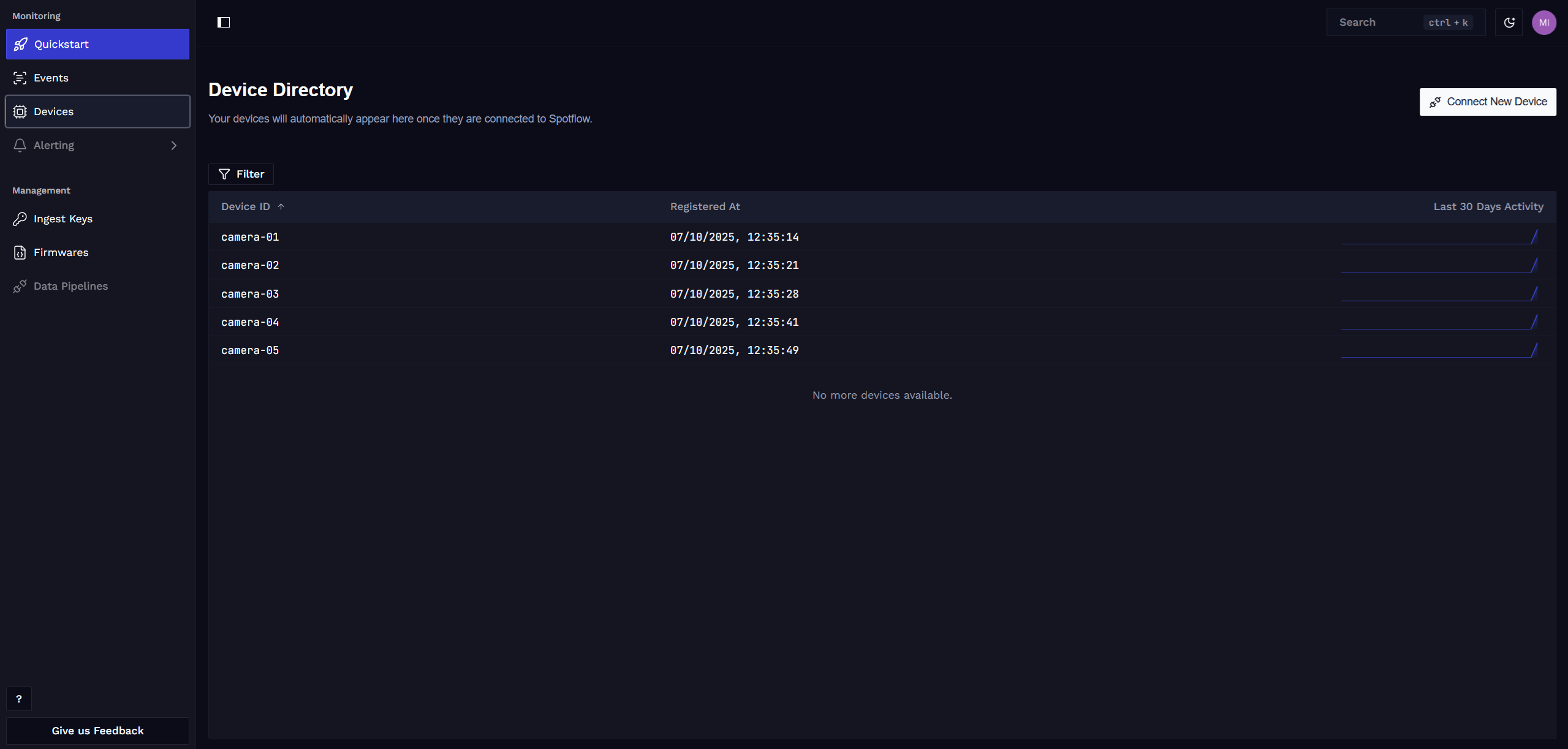
printk() function, unlike logging macros such as LOG_INF, do not have a severity level assigned and are never filtered out.Select your device on the Devices page, which gives you a comprehensive view of all connected devices.
In the device detail, you can view the current minimum log severity reported by the device and set it to a desired value.
Learn more
Fundamentals: Metrics
Fundamentals: Crash reports & core dumps
Fundamentals: Firmware management
How is this guide?