Logging with Embedded Linux
Collect journald and syslog messages from Linux devices and analyze them in Spotflow.
spotflowd collects logs from the systemd journal or a syslog file and sends them to Spotflow over MQTT/TLS.
Applications can continue using their existing logging APIs.
Prerequisites
Install and configure the daemon using the Embedded Linux quickstart or Yocto integration. The service account must be able to read the selected log source and write to its state directory.
Select a Log Source
Edit the existing [logs] section in /etc/spotflow/spotflowd.toml.
On systemd builds, journald is enabled by default:
[logs]
journald = true
journald_scope = "all"
syslog = false
startup_max_entries = 1000
journald_scope = "all" includes all local users' journals. Use "system" to collect only system services and kernel logs.
The supplied systemd service grants the spotflow account journal access.
For devices using syslog instead, configure the file your logger actually writes:
[logs]
journald = false
syslog = true
syslog_path = "/var/log/messages"
startup_max_entries = 1000
Some distributions use /var/log/syslog instead. The Yocto layer selects /var/log/messages for SysVinit images by default.
Ensure the service account can read the file. BusyBox syslog must write a file; its IPC-only -C mode is not a file source.
Enabling both sources can upload duplicate messages when your syslog service forwards journal entries. Journald collection also requires a binary compiled with the journald feature; the syslog-only build cannot enable it through configuration.
Restart and Test Collection
On systemd devices:
sudo systemctl restart spotflowd
logger -t my-application "Hello from my Linux application"
logger -t my-application -p user.err "An example error"
sudo spotflowd status
On Yocto SysVinit devices, use /etc/init.d/spotflowd restart as root instead.
For application services, send output to journald or use your platform's syslog API. Arbitrary application log files are not collected automatically.
Journald provides structured severity. Syslog severity is extracted when the record includes a priority field such as <PRI>; otherwise it is omitted.
Analyze Logs in the Web Application
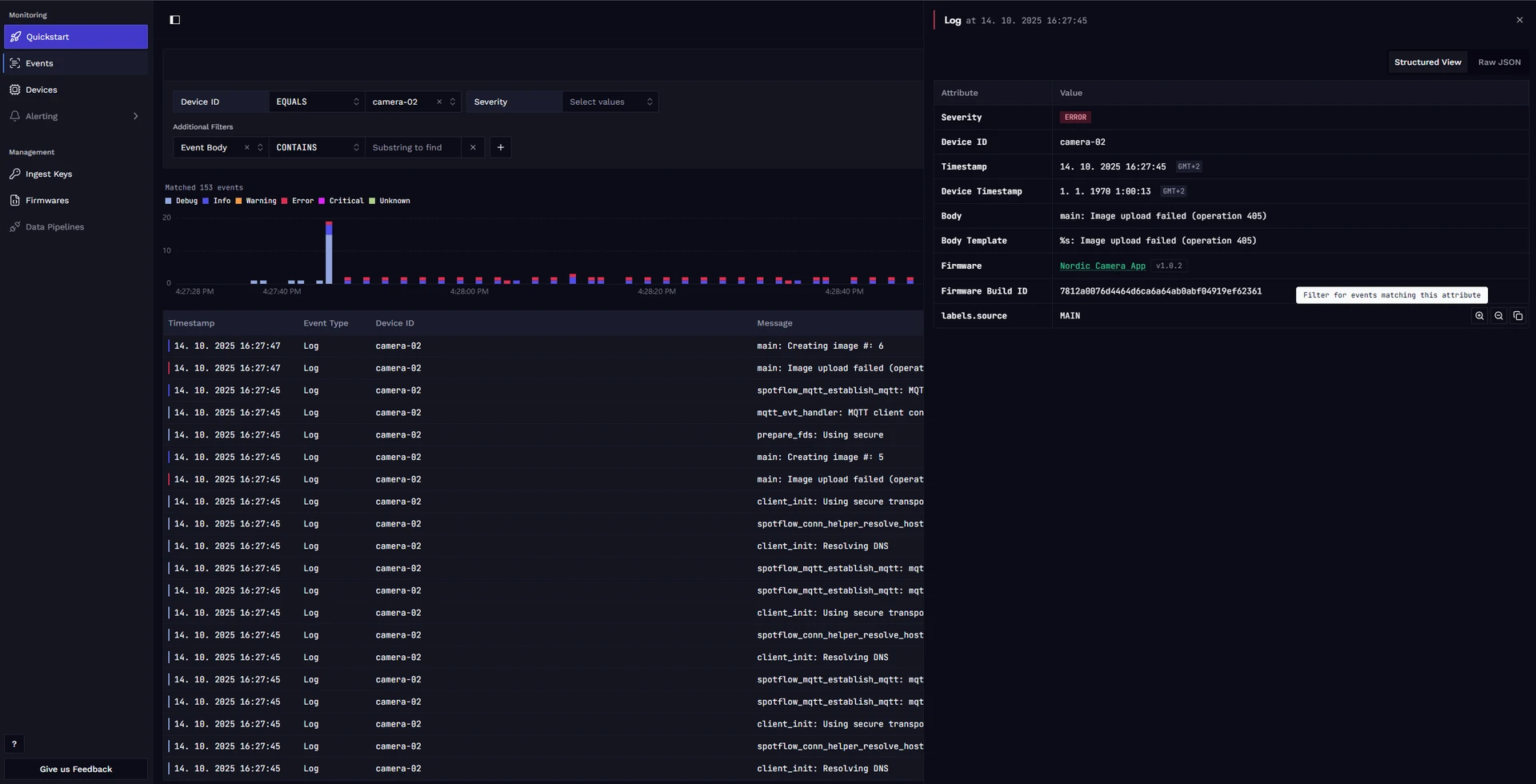
Once your device is integrated and sending logs, you can analyze them in the web application. The main entry point is the Events page, which gives you a comprehensive view of all events collected from your devices. There, you can filter logs by their content, device ID, severity, and other metadata.
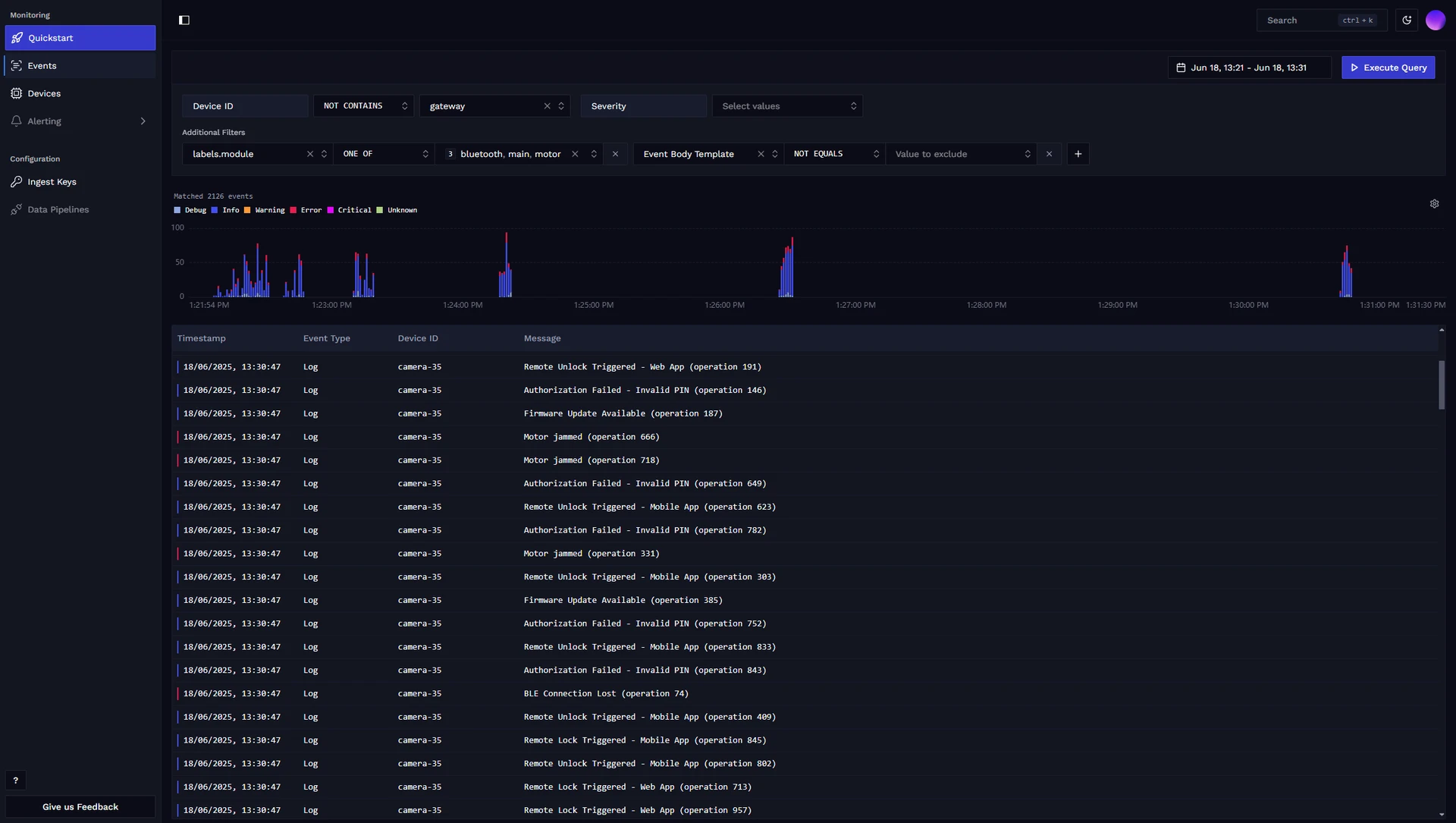
You can click on individual log messages to see their details, and it is possible to drill down into specific events by matching their metadata.
Startup Log Replay
On every start, each enabled source replays up to startup_max_entries existing current-boot records before following new messages, even while offline.
The default cap is 1000 per source. Set it to 0 to disable replay.
When there are more records than the cap, the newest records are selected and replayed in chronological order.
Journald identifies the current boot using its boot ID.
Syslog uses timestamps and the boot time from /proc/stat; timestamp-less or unrecognized lines are included best-effort and may come from an earlier boot.
Rotated syslog archives are not scanned. Restarting the daemon during the same boot can replay previously uploaded records because no persistent replay cursor is stored.
Buffering and Network Interruptions
Logs are kept in memory first to reduce flash writes. When memory fills, entries are flushed to CBOR chunks on disk:
[logs.buffer]
memory_max_entries = 1000
disk_max_size_mb = 64
disk_chunk_max_entries = 200
The disk spool lives under <storage.state_dir>/spool/. Its default limit is 64 MiB; when full, the oldest chunks are dropped.
After reconnecting, the daemon sends the newest data first: memory records, followed by disk chunks from newest to oldest.
On graceful shutdown, the daemon attempts to flush its memory buffer to disk. An abrupt crash or power loss can lose records still in memory.
Delivery Guarantees
Logs use MQTT QoS 0, without broker acknowledgements. Successful publishing means acceptance into the local MQTT queue, not confirmed receipt by Spotflow. Records already handed to MQTT can be lost during a disconnect, crash, or shutdown. Local buffering does not provide guaranteed delivery.