Metrics with MQTT
Collect metrics from any device using standard MQTT interface and analyze them in Spotflow dashboards.
This guide explains how to send metrics from devices running a MQTT client and analyze them in the Spotflow web application.
Connect to the Spotflow MQTT broker
As the very first step, check the following basic integration guide:
Publish metrics in JSON or CBOR format
Metrics can be sent over MQTT using either JSON or CBOR payloads.
Publish metric messages to the ingest-json topic using the following schema:
{
    "messageType": "METRIC",
    "metricName": "cpu_utilization_percent",

    // Optional for 0/1m/1h/1d metrics, present for aggregated metrics
    "aggregationInterval": "1m",

    // Optional labels for dimensional metrics
    "labels": {
        "interface": "wlan0"
    },

    // Device uptime when metric sample/window was produced
    "deviceUptimeMs": 123456,

    // Sequence number within a metric stream
    "sequenceNumber": 42,

    // For aggregated metrics: sum over the window
    // For 0/no aggregation: raw sample value
    "sum": 318.7,

    // Optional overflow marker for integer sums
    "sumTruncated": false,

    // Present for aggregated metrics
    "count": 30,
    "min": 5.2,
    "max": 18.1,

    // (Optional) source device ID for gateway/relay architectures — see Source Device ID
    // Can be a string (single hop) or an array of strings (multi-hop)
    "sourceDeviceId": "sensor-01"
}
For metrics, Session Metadata is useful for dimensions that stay the same for the whole MQTT connection, such as firmware channel, board revision, or site. Session labels are merged into metric labels, so you do not need to repeat them on every data point.
Available system metrics
When using Spotflow system metrics, the following metric names, value data, and labels are used:
| Metric name | Value data | Expected labels |
|---|---|---|
heap_free_bytes | Free heap bytes (int) | None |
heap_allocated_bytes | Allocated heap bytes (int) | None |
cpu_utilization_percent | CPU utilization in percent (float) | None |
thread_stack_free_bytes | Free stack bytes per thread (int) | thread |
thread_stack_used_percent | Used stack percentage per thread (float) | thread |
network_tx_bytes | Transmitted bytes per network interface (int) | interface |
network_rx_bytes | Received bytes per network interface (int) | interface |
connection_mqtt_connected | MQTT connection state (int, 0 or 1) | None |
boot_reset | Reset event marker (int, value 1) | reason |
uptime_ms | Device uptime in milliseconds (int) | None |
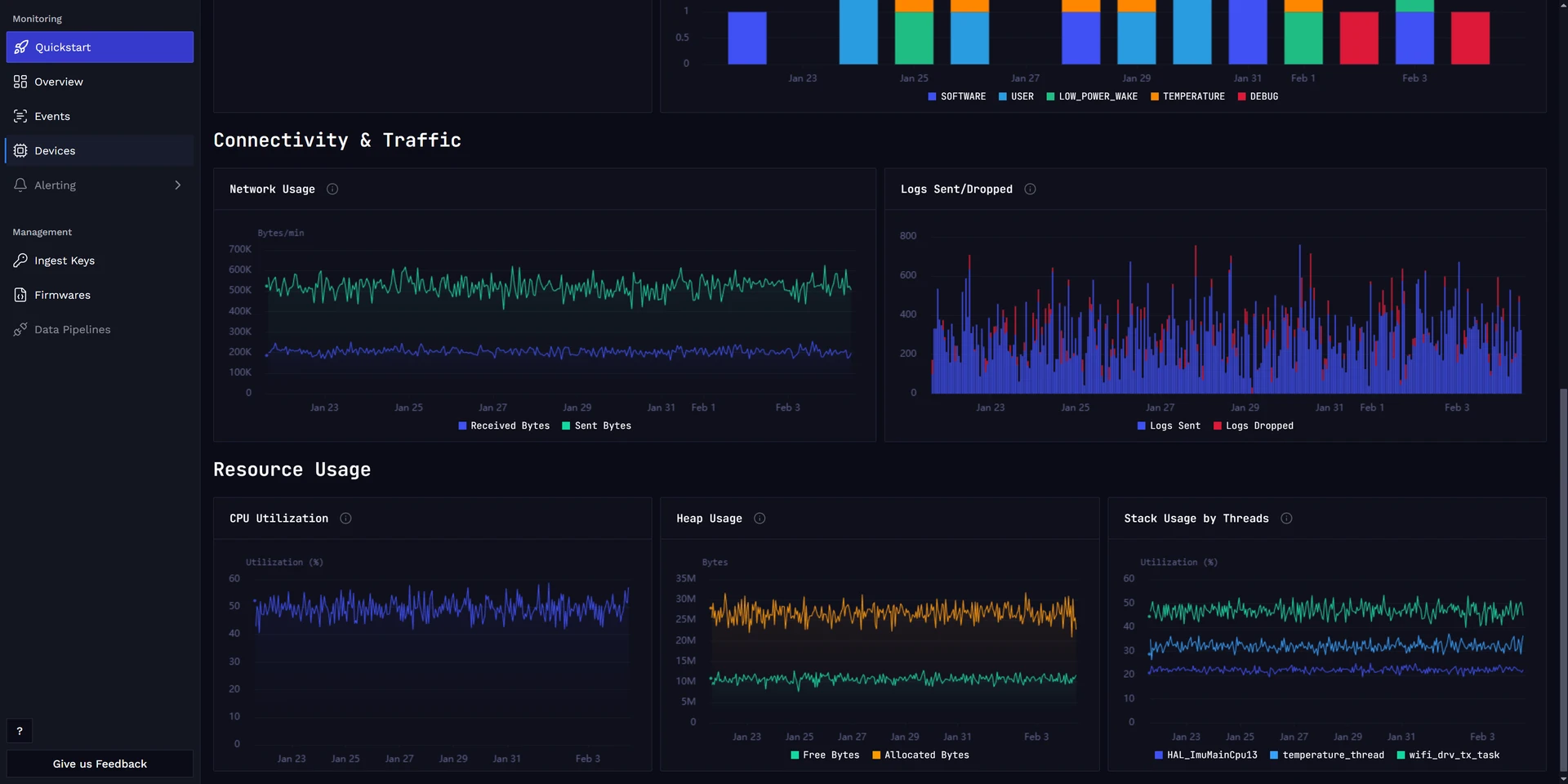
System metrics are visualized in the built-in Device Dashboard.
Custom metrics
You are not limited to the system metrics listed above. Use any metricName to track application-specific values such as sensor readings, counters, or latencies. The payload format is the same.
For example, an aggregated custom metric with labels:
{
    "messageType": "METRIC",
    "metricName": "lock_operation_duration_ms",
    "aggregationInterval": "1m",
    "labels": {
        "operation": "unlock",
        "method": "nfc"
    },
    "deviceUptimeMs": 120000,
    "sequenceNumber": 5,
    "sum": 1250.0,
    "count": 10,
    "min": 45.2,
    "max": 310.7
}metricNamecan be any string. Names are normalized on ingestion (lowercased, special characters replaced with underscores).aggregationIntervalis optional. Omit it or set it to"0"to send raw values without aggregation. Supported values are"0"(no aggregation),"1m"(1 minute),"1h"(1 hour), and"1d"(1 day).labelsis optional. Use it to add dimensional breakdowns to your metric.- For non-aggregated metrics, only
sumis required (it represents the raw value). For aggregated metrics, includesum,count,min, andmax.
System metrics have predefined dashboards (see Device Dashboard). For custom metrics, you can create your own dashboards with tailored widgets.
Analyze metrics in dashboards
Open the Spotflow dashboards to inspect device and fleet metric trends: