Comply with CRA
Use Spotflow to maintain a software inventory, track vulnerabilities, deliver security updates, and monitor your device fleet.
The EU Cyber Resilience Act (CRA) puts cybersecurity responsibilities on manufacturers throughout a product's lifetime. Spotflow helps you keep track of the software in your devices, respond to vulnerabilities, deliver fixes, and monitor devices in the field.
Spotflow can support your CRA compliance work, but it cannot make your product compliant on its own. Your organization is responsible for determining which requirements apply and for meeting them.
Track software and vulnerabilities
Cyber Resilience ActANNEX I, Part II"...identify and document vulnerabilities and components contained in products..."
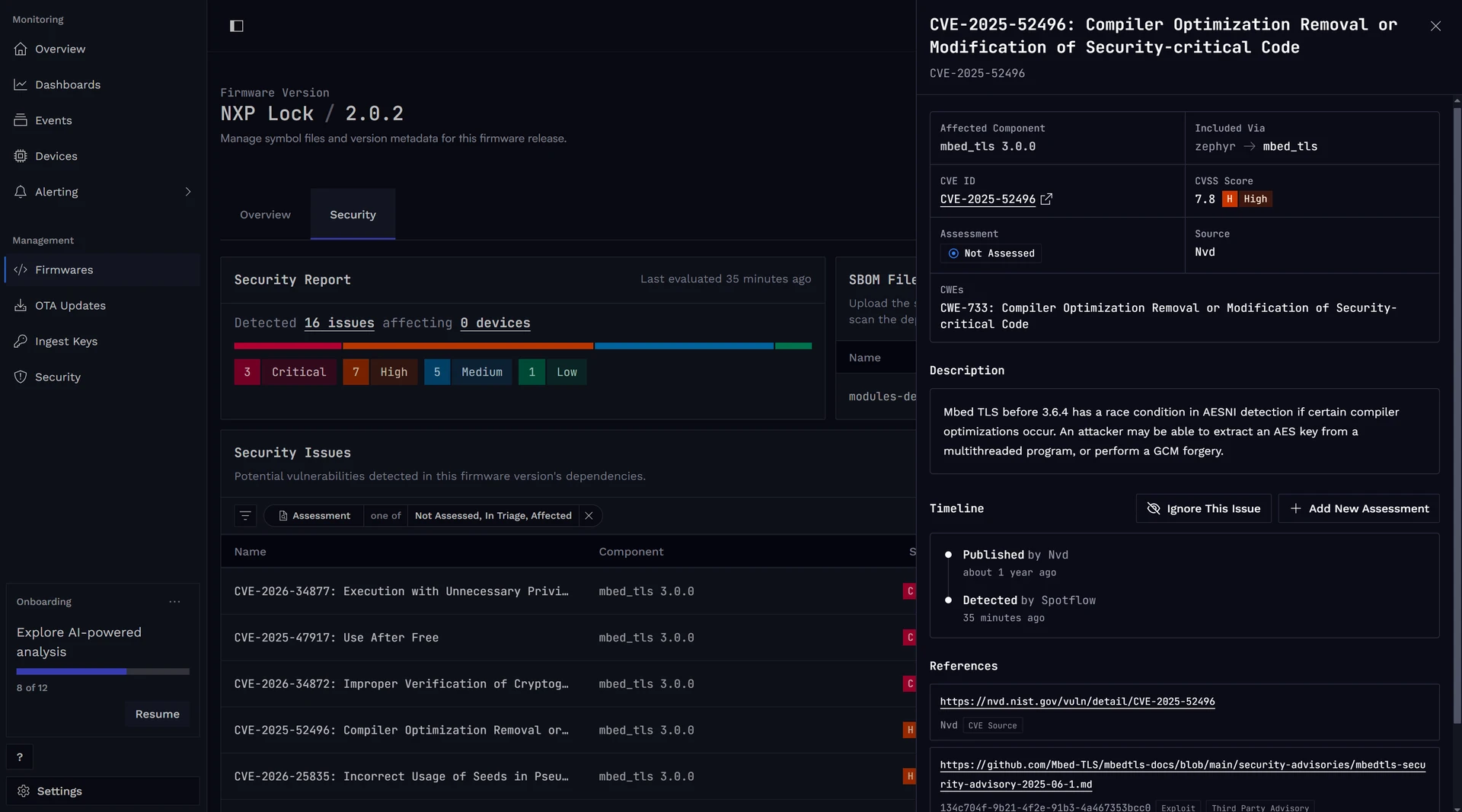
Upload an SBOM for every firmware version to keep a record of its components and dependencies.
Spotflow matches these components against known CVEs and rescans existing SBOMs as the CVE database changes. This allows you to track vulnerabilities across your whole device fleet.
Assess each finding with VEX-style states to record whether it affects your firmware, and document the response or justification. The audit timeline records who made each decision and why.
See Track security issues across your devices for the complete workflow.
Deliver fixes over the air
Cyber Resilience ActANNEX I, Part I"...ensure that vulnerabilities can be addressed through security updates, including, where applicable, through automatic security updates..."
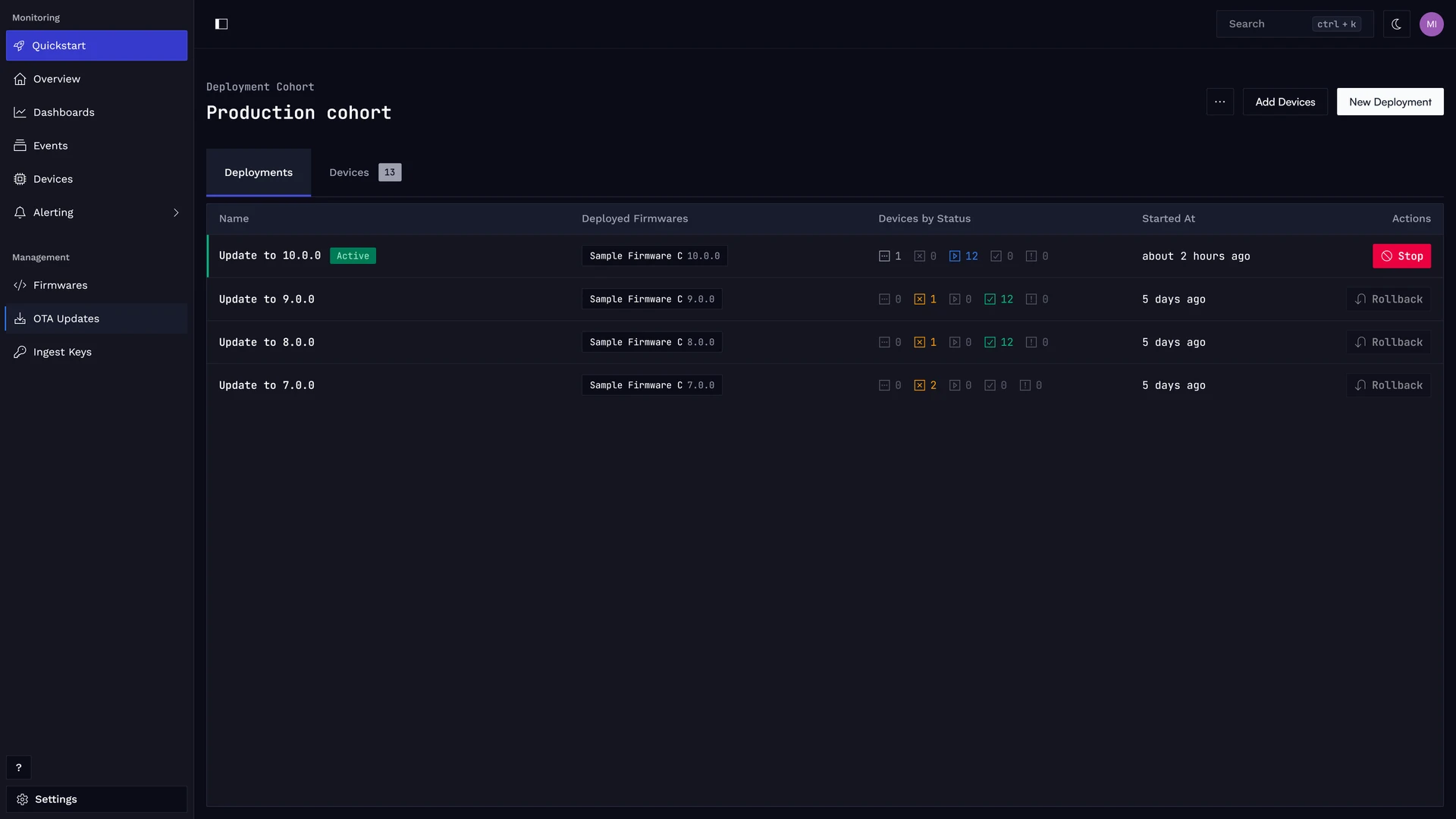
When a vulnerability needs a fix, Spotflow can deliver a new firmware version over the air without physical access to each device.
You can deploy a specific firmware version to a cohort of devices. These cohorts can be defined either as a manually selected list of devices or dynamically using device tags, such as hardware model, region, or end-user consent. Spotflow tracks the version running on each device and reports the deployment status.
See Over-the-air (OTA) updates and Deploy over-the-air (OTA) updates for device integration and deployment guidance.
Monitor devices in the field
Cyber Resilience ActANNEX I, Part I"...monitoring relevant internal activity..."
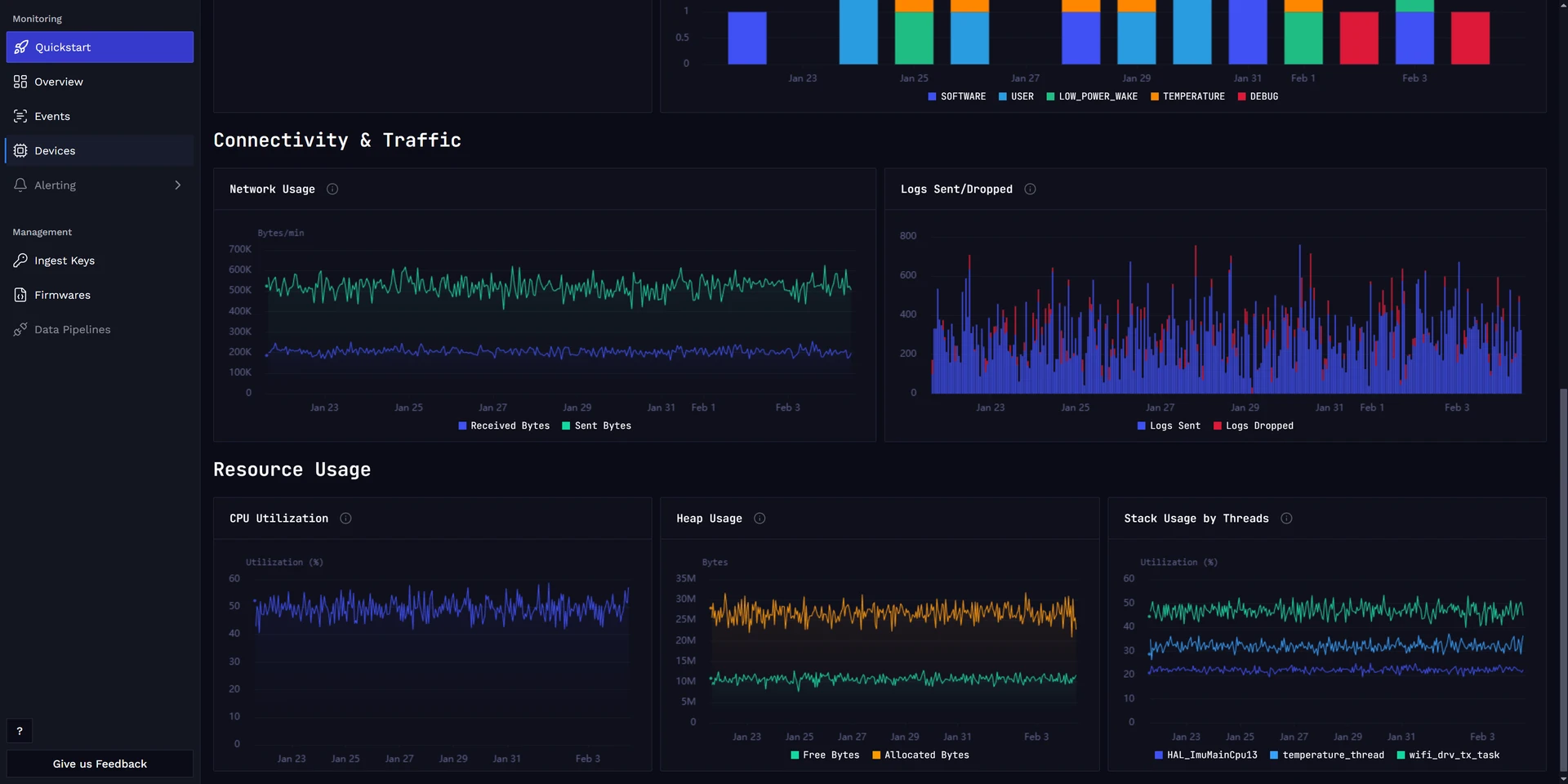
Monitoring helps you spot unexpected or suspicious behavior and investigate incidents. Spotflow collects logs, metrics, and crash reports from individual devices and links them to the firmware version running at the time.
Logs
Search and filter device logs across the fleet, or inspect the history of a single device. With the Spotflow device module, you can also increase a device's log level from the portal when you need more diagnostic detail.
See Logging for integration and analysis options.
Metrics
Spotflow device modules report system metrics such as CPU, heap and stack usage, network traffic, connection state, reset causes, and uptime. Add application-specific metrics, visualize them in dashboards, and create alerts for conditions that need attention.
See Metrics, Dashboards, and Alert rules.
Crash reports and core dumps
When a device crashes, Spotflow collects its core dump and links it to the exact firmware build. For supported Zephyr and ESP-IDF formats, it also extracts details such as stack traces and register values to help your team diagnose the failure.
See Crash reports & core dumps for setup and analysis details.
A practical workflow
- Upload an SBOM whenever you create a firmware version.
- Review new CVEs and assess whether they affect your firmware.
- Prioritize the issues, build a fix, and deploy it in controlled cohorts.
- Monitor logs, metrics, and crash reports for suspicious activity.