Track security issues across your devices
Learn how to use SBOMs to identify security issues in your firmware and assess their impact across your devices.
Spotflow lets you upload Software Bills of Materials (SBOMs), which list the software components in a firmware version, then automatically checks their dependencies for known CVEs and tracks their impact across your devices.
This gives you a clear view of vulnerable dependencies and their impact on deployed devices, while helping you meet software inventory requirements such as those in the Cyber Resilience Act (CRA).
How it works
- Upload one or more SBOM files to a firmware version.
- Spotflow extracts components and dependency information from the files.
- Spotflow matches the extracted components against known CVEs.
- As the CVE database is updated, Spotflow re-evaluates each SBOM to detect newly disclosed vulnerabilities in existing firmware releases.
Open the firmware version
Go to Firmwares, select a firmware, and open the version you want to scan.
Upload the SBOM files
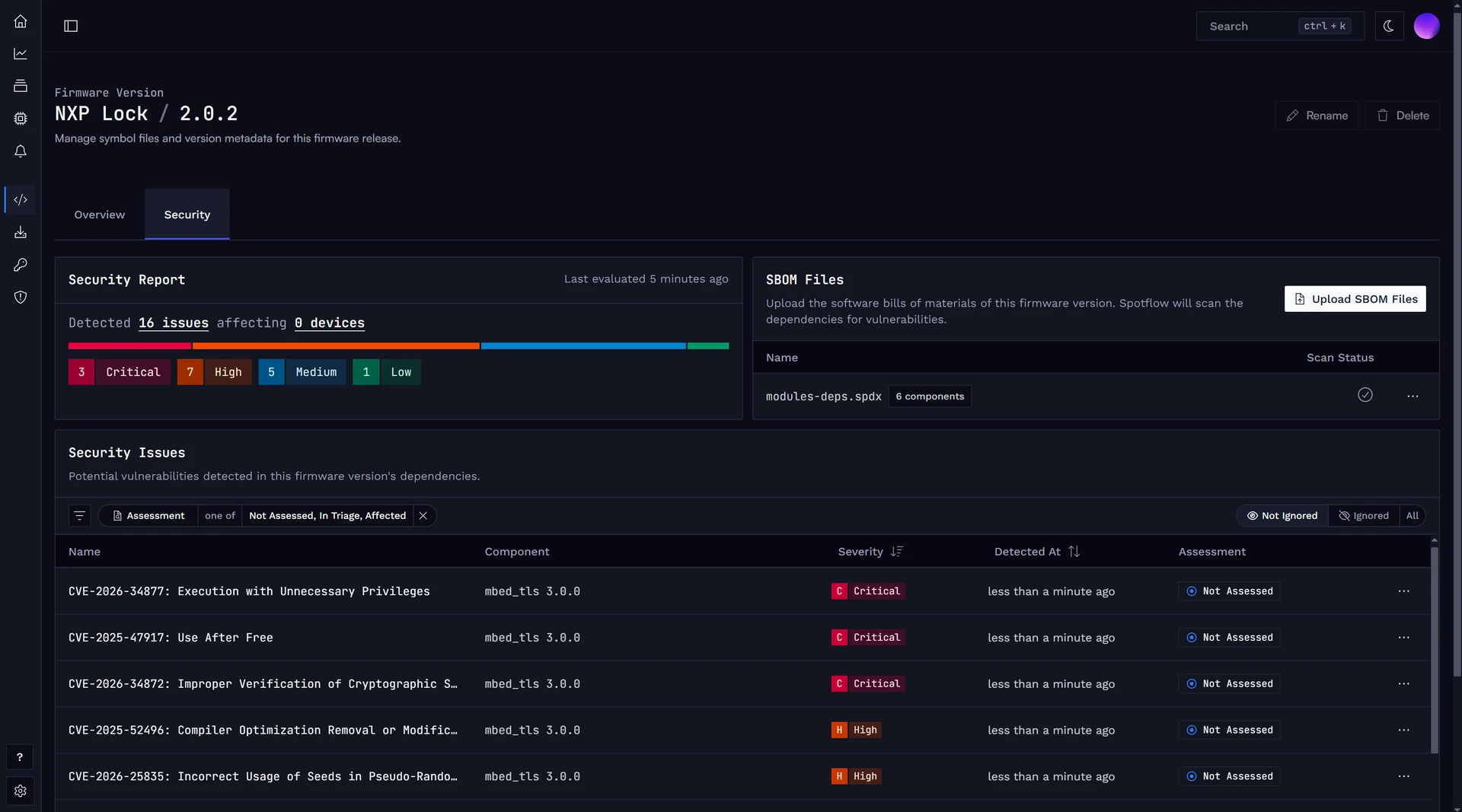
Click Upload SBOM Files, then select the SBOM files for this firmware version (tag-value SPDX 2 and JSON SPDX 3 SBOMs are supported).
Spotflow extracts the components and dependencies from the files and matches them against known CVEs. The Security tab shows a summary of the detected security issues, the number of affected devices, and the associated CVEs.
Review the security issues
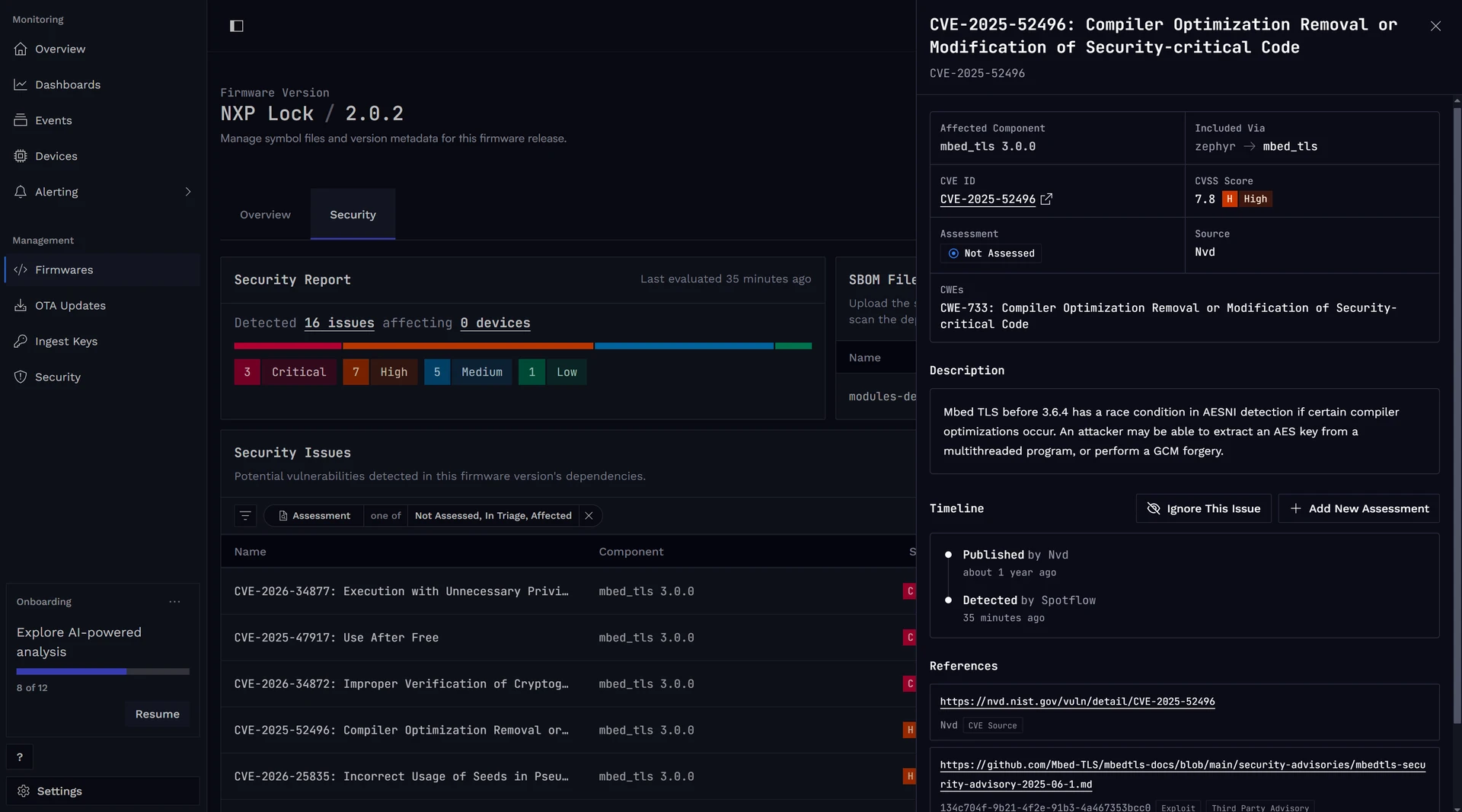
Filter issues by name, severity, assessment state, affected component, or whether the CVE appears in the CISA Known Exploited Vulnerabilities (KEV) catalog.
Select a row in the security issues table to view its details. Each issue includes its severity, the affected dependency, the dependency chain that introduces it, and other relevant details.
Assess the issues
Each security issue has an assessment state that indicates whether it affects your firmware.
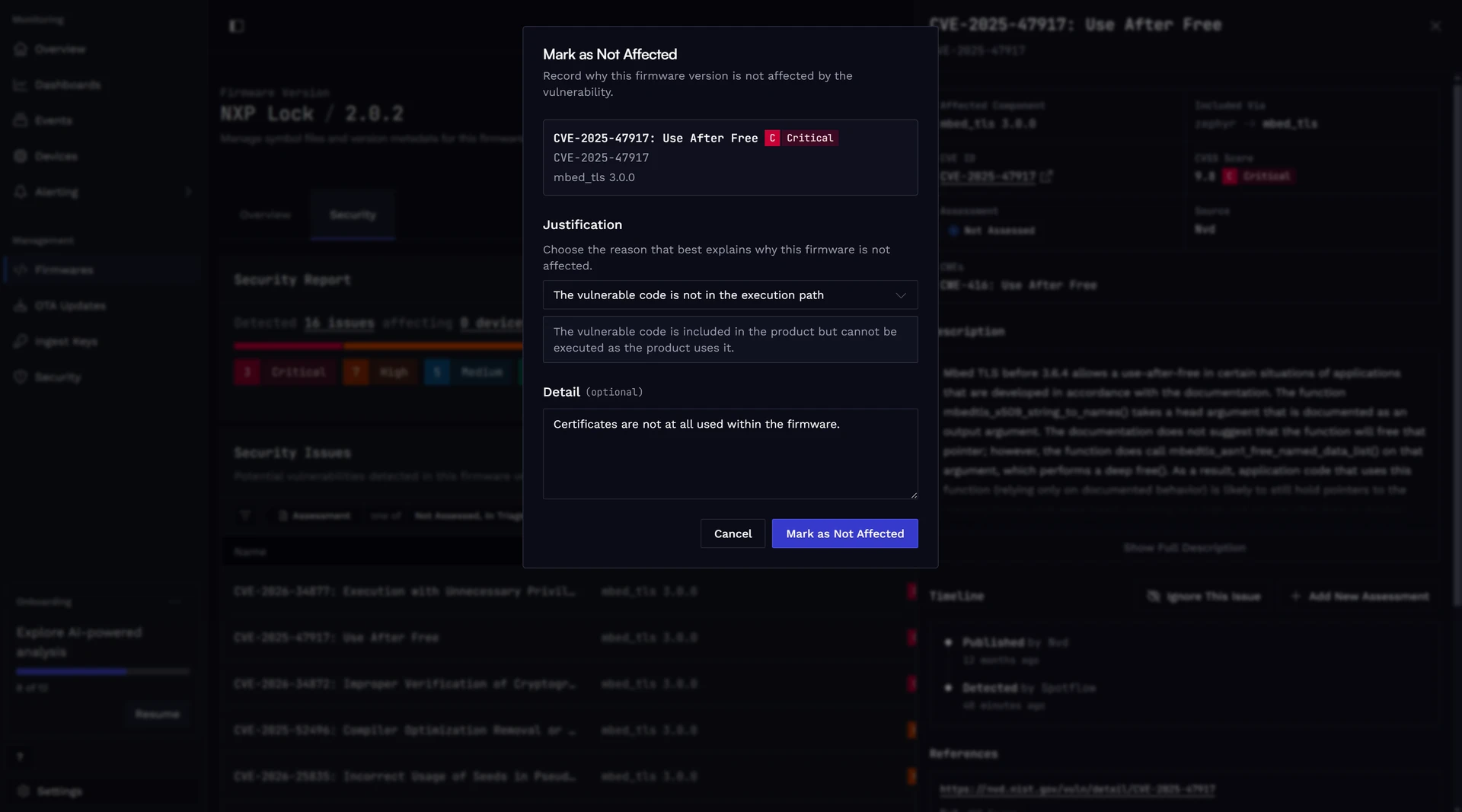
New findings start as Not Assessed. As your team investigates an issue, set its state to In Triage, Affected, or Not Affected.
You can add details to each assessment.
Following the Vulnerability Exploitability eXchange (VEX) approach, every Affected assessment requires a response, while every Not Affected assessment requires a justification selected from a predefined list.
You can also ignore an issue when it should not appear in active lists or summaries.
The audit timeline records every assessment and ignore action, including who made the change, when, and why.
Monitor deployed firmware
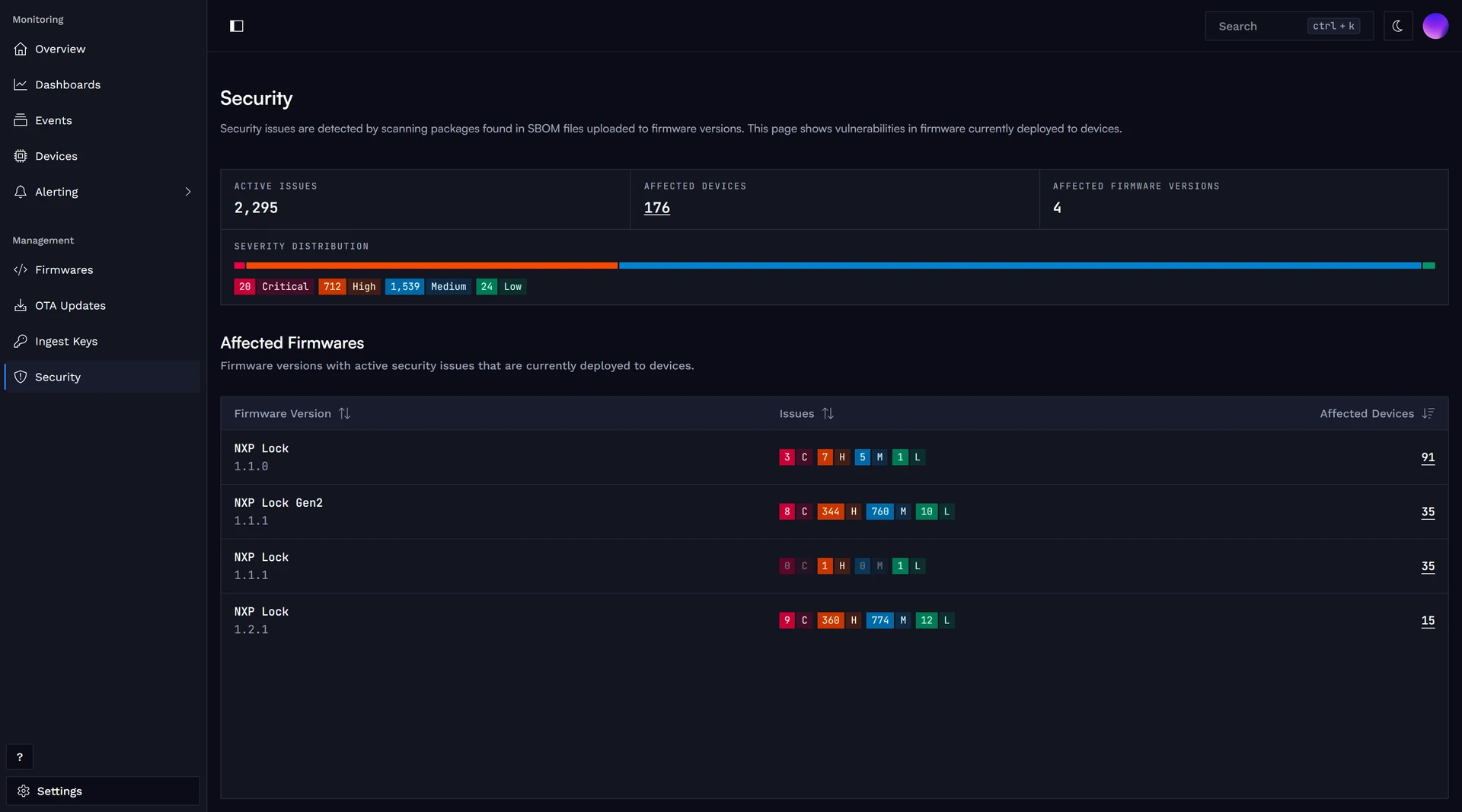
Open Security to prioritize remediation work across your fleet. The page lists firmware versions with security issues that are deployed to your devices, along with the number of affected devices. Select the affected-device count to view the devices running that firmware version.