Bluetooth Low Energy
Connect TI CC2340R5 and CC35X1 boards to Spotflow through a BLE gateway.
Both supported TI boards can send logs and crash reports through a BLE gateway. The board acts as a BLE peripheral, while the gateway connects to Spotflow over MQTT.
BLE devices do not store a Spotflow ingest key. The gateway authenticates to Spotflow and forwards telemetry from the board. For development and testing, use the Spotflow Web App as the gateway.
Board differences
LP-EM-CC2340R5
The CC2340R5 uses TI SimpleLink Zephyr v3.7.0-ti-9.10.04 and the west-zephyr-ti.yml manifest. It has only 36 KiB of SRAM, so its BLE sample disables application metrics and built-in system metrics by default to leave RAM for user logic. The sample also uses small queues, a 23-byte ATT MTU, minimal coredumps, and reduced Bluetooth buffers.
LP-EM-CC35X1
The CC35X1 uses TI SimpleLink Zephyr v4.4.0-ti-10.10.00 and the west-zephyr-ti-cc35x1.yml manifest. Before flashing it for the first time, complete Set up flashing for TI CC35x1.
Spotflow integration
Install prerequisites
Both boards require an LP-XDS110 or LP-XDS110ET debug probe for flashing. Install Git, CMake, Ninja, Python, and West. The required Zephyr host dependencies differ because the boards use different Zephyr releases:
- For CC2340R5, follow the Zephyr 3.7.0 Getting Started Guide.
- For CC35X1, follow the current Zephyr host dependency instructions. Its first flash also requires the CC35X1 flashing setup.
To use the Spotflow Web App as the gateway, you also need a computer with Bluetooth Low Energy and a Chromium-based browser with Web Bluetooth support.
Prepare the West workspace
Each board requires a separate workspace because it uses a different TI SimpleLink Zephyr release.
mkdir spotflow-ti
cd spotflow-ti
python3 -m venv .venv
source .venv/bin/activate
pip install west

west init \
  --manifest-url https://github.com/spotflow-io/device-sdk \
  --manifest-file zephyr/manifests/west-zephyr-ti.yml \
  .
west update --fetch-opt=--depth=1 --narrow
west packages pip --install
Configure the BLE sample
Replace the sample device ID with an identifier that is unique within your Spotflow workspace:
Edit modules/lib/spotflow/zephyr/samples/ble/boards/lp_em_cc2340r5.conf:
CONFIG_SPOTFLOW_DEVICE_ID="<your-unique-device-id>"Metrics and system metrics are disabled by default to preserve RAM. Enable them only after measuring the memory requirements of your application.
Do not configure CONFIG_SPOTFLOW_INGEST_KEY. The BLE gateway handles authentication.
Build and flash the BLE sample
On Windows, use a short build directory because TI-generated RF object paths can exceed the toolchain path limit.
west build --pristine \
  --board lp_em_cc2340r5 \
  --build-dir build-cc2340r5 \
  modules/lib/spotflow/zephyr/samples/ble
west flash --build-dir build-cc2340r5
Connect through a BLE gateway
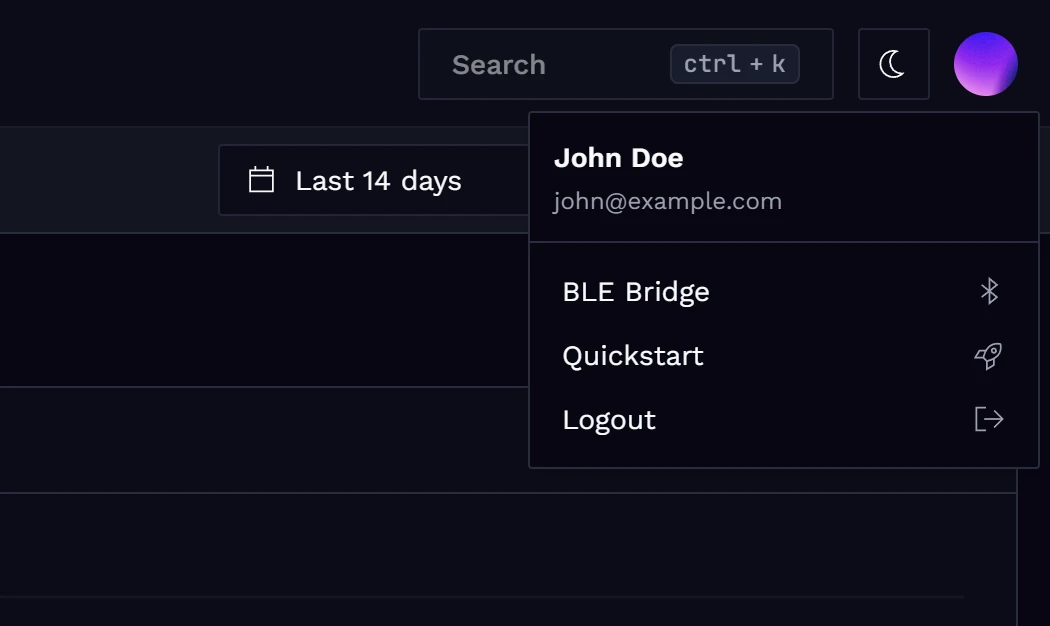
Open the BLE Gateway page from the user menu in the Spotflow Web App:
Select an ingest key, scan for BLE devices, and connect to the TI board:
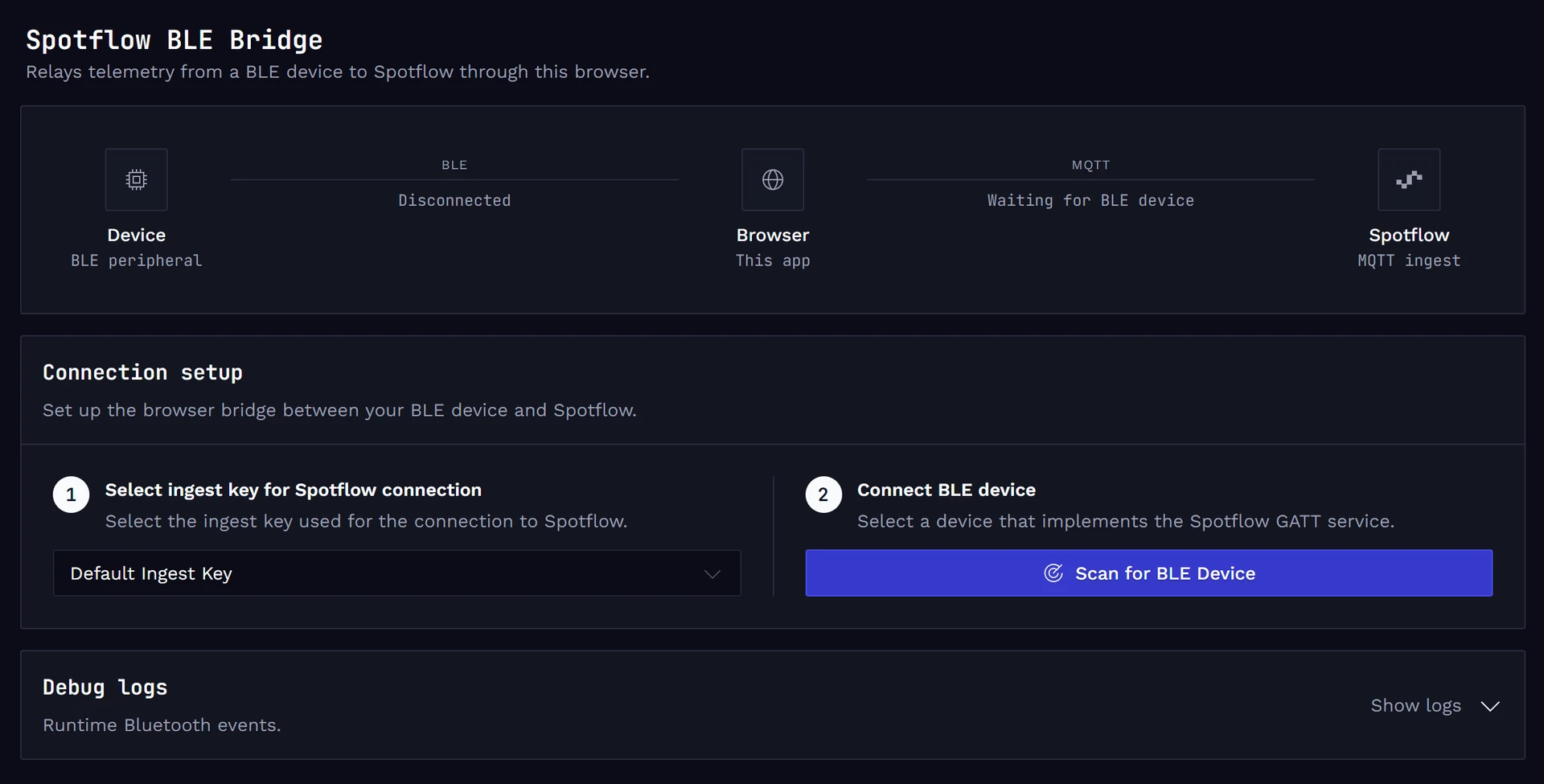
Keep the page open while testing because the browser must maintain the BLE connection.
Analyze logs in the Web App
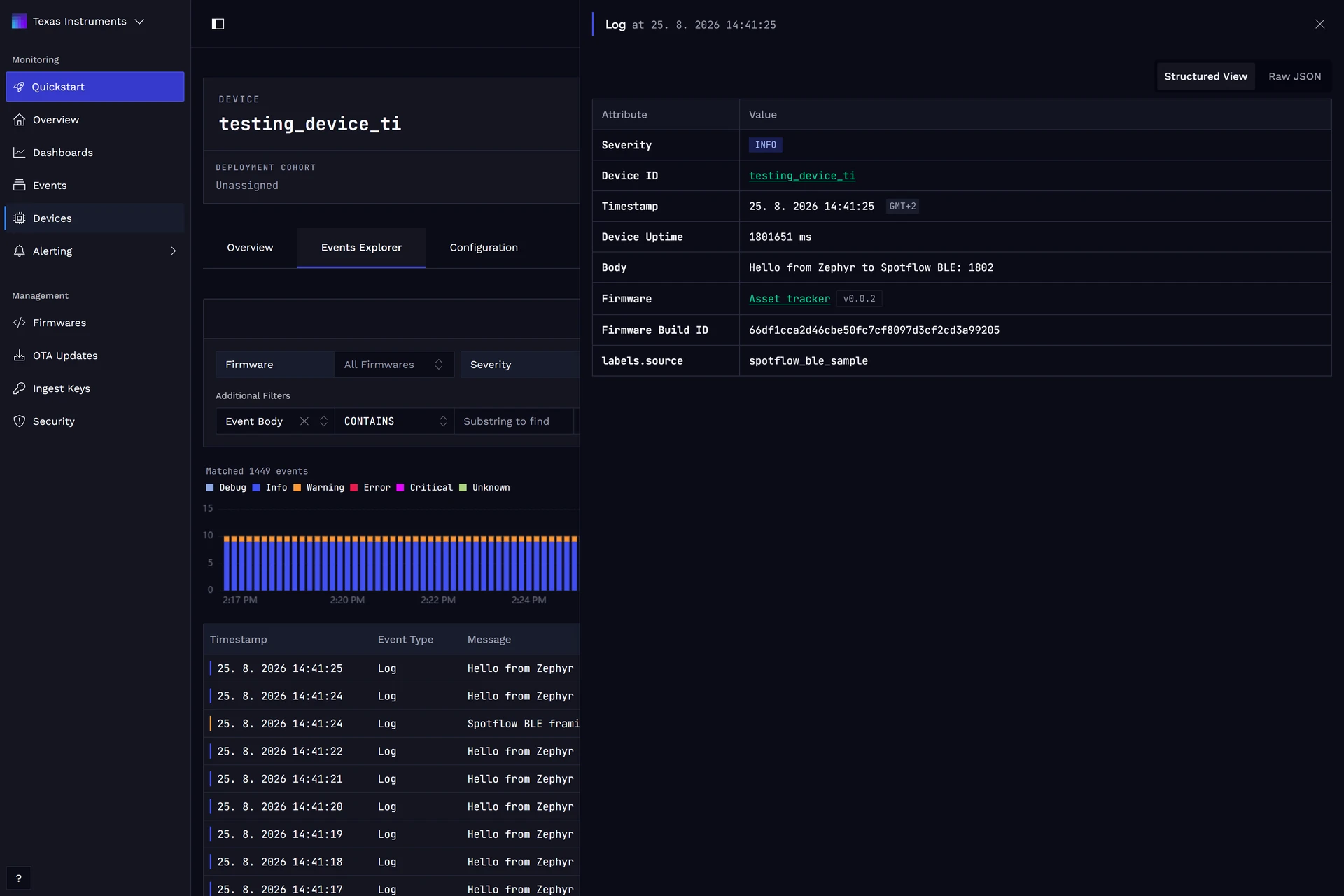
Open Device Events from the BLE Gateway page. Filter by the configured device ID to view logs received from the TI board.
Verify telemetry and crash reports
Confirm that the serial console contains startup messages indicating that the Spotflow BLE sample initialized, Bluetooth was enabled, and advertising started.
Press the board button represented by the Zephyr sw0 devicetree alias to trigger k_oops(). The board restarts and stores a crash report.
The board disconnects from the gateway when it restarts. Reconnect it manually so the stored crash report can be forwarded to Spotflow.
(Recommended) Upload the ELF file with symbols
Upload <build-dir>/zephyr/zephyr.elf to the matching firmware version. Spotflow uses the embedded build ID to associate the symbol file with crash reports and decode stack traces, source locations, and variable names.
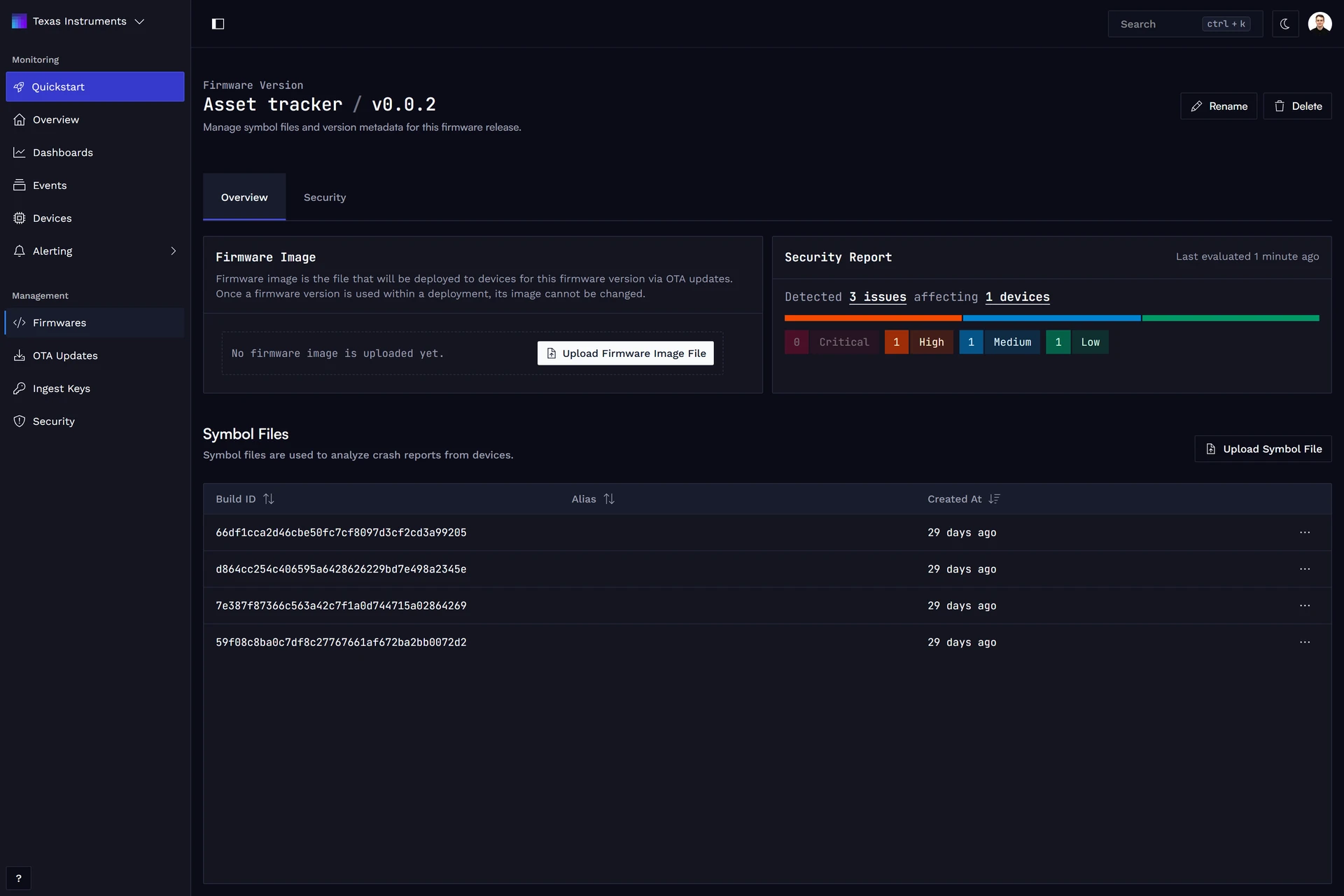
See Firmware Management for more information.
Analyze crash reports in the Web App
Open Device Events and select the crash report sent after the board reconnects.
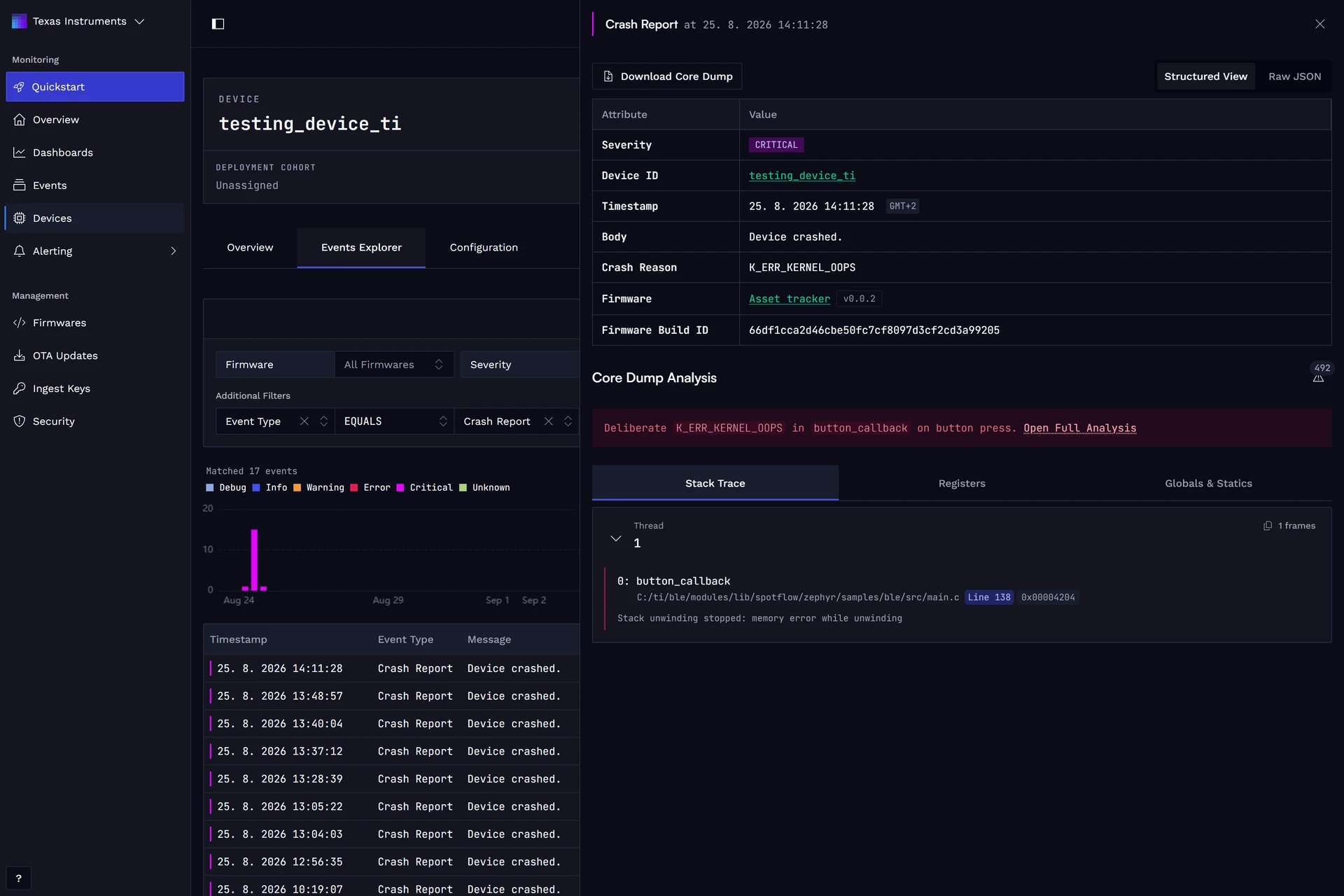
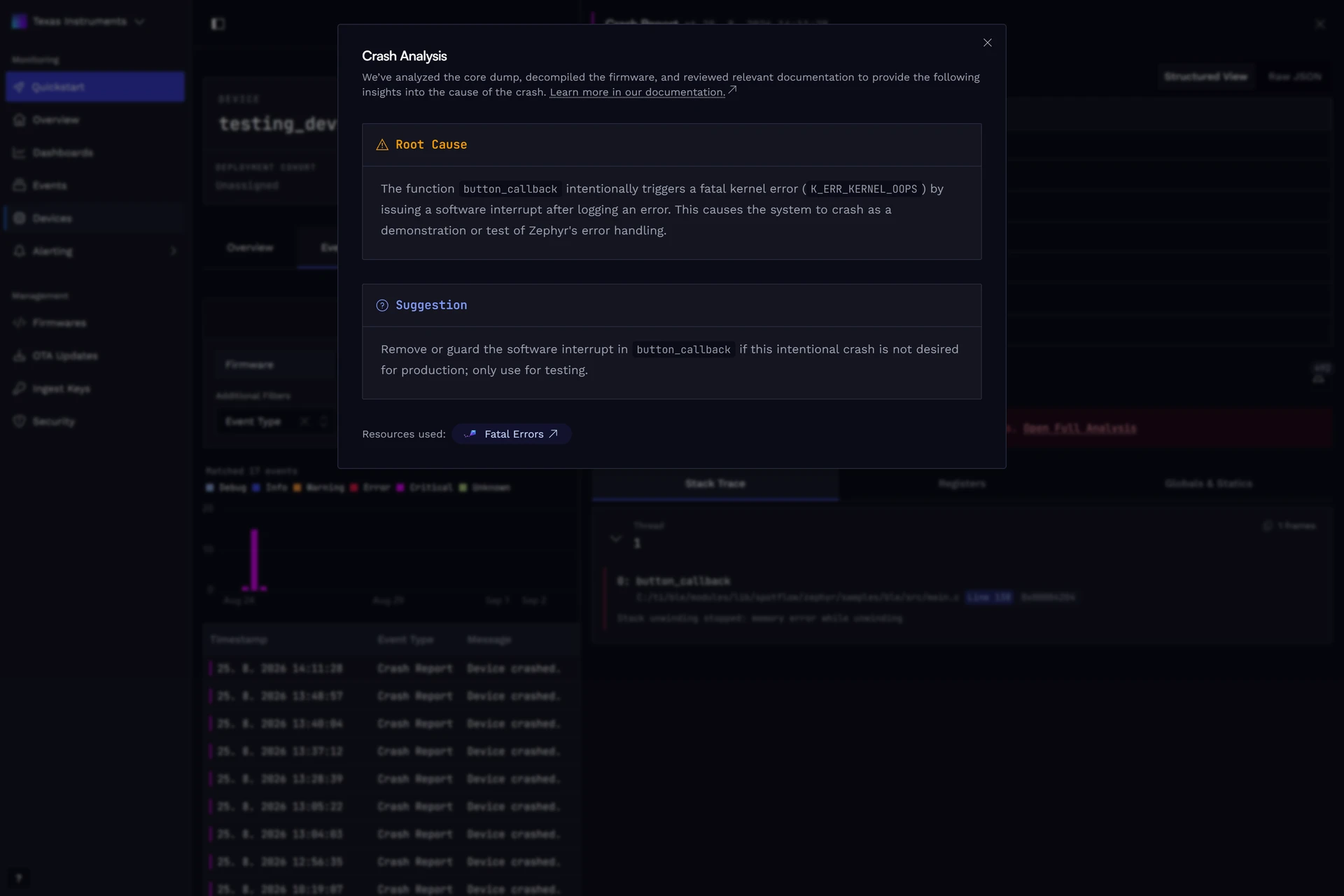
Open the full crash analysis to review the detected root cause and suggested fixes:
CC2340R5 memory and storage notes
- The board profile uses minimal coredumps containing the fault context and current stack. A full RAM dump is not practical with the configured storage.
- Application metrics and built-in system metrics are disabled by default to preserve RAM for application logic.
- The sample splits the original 16 KiB storage partition into 4 KiB for settings storage and 12 KiB for coredumps.
- Persisted Spotflow cloud configuration is disabled because Settings/NVS requires a separate storage budget.
- The TI CC23x0 reboot hook does not implement cold reboot, so the sample uses warm reboot after a fatal error.
- The sample keeps the UART log backend enabled for local diagnostics while Spotflow telemetry is transported over BLE.