Wi-Fi
Connect a TI CC35X1 board directly to Spotflow over Wi-Fi and MQTT.
Wi-Fi is available on the LP-EM-CC35X1. It uses the Spotflow MQTT transport to connect directly to Spotflow without a BLE gateway.
Before the first flash, build the sample and then complete Set up flashing for TI CC35x1 using its generated build directory.
Install prerequisites
Install the current Zephyr host dependencies, Git, Python, and West. You also need:
- An LP-EM-CC35X1 board
- An LP-XDS110 or LP-XDS110ET debug probe
- A 2.4 GHz Wi-Fi network with internet access
The first flash requires the CC35X1 flashing setup, including SimpleLink Wi-Fi Toolbox, activation, and factory programming.
Prepare the West workspace
Create a workspace using the Spotflow west-zephyr-ti-cc35x1.yml manifest. It selects TI SimpleLink Zephyr v4.4.0-ti-10.10.00 and the required modules.
mkdir spotflow-cc35
cd spotflow-cc35
python3 -m venv .venv
source .venv/bin/activate
pip install west

west init \
  --manifest-url https://github.com/spotflow-io/device-sdk \
  --manifest-file zephyr/manifests/west-zephyr-ti-cc35x1.yml \
  .
west update --fetch-opt=--depth=1 --narrow
west packages pip --install
west sdk install --version 1.0.1 --toolchains arm-zephyr-eabi
Configure Wi-Fi and Spotflow
Create modules/lib/spotflow/zephyr/samples/logs/credentials.conf from credentials-sample.conf and configure:
CONFIG_NET_WIFI_SSID="<your-Wi-Fi-SSID>"
CONFIG_NET_WIFI_PASSWORD="<your-Wi-Fi-password>"
CONFIG_SPOTFLOW_DEVICE_ID="<your-unique-device-id>"
CONFIG_SPOTFLOW_INGEST_KEY="<your-ingest-key>"
Copy an ingest key from the ingest keys page. The device ID must be unique within your Spotflow workspace.
The Device SDK also includes CC35X1 board profiles for the samples/metrics and samples/coredumps Wi-Fi samples. Create each sample's credentials.conf from its credentials-sample.conf, then replace samples/logs in the build command with samples/metrics or samples/coredumps.
Build and flash the Wi-Fi sample
west build --pristine \
  --board lp_em_cc35x1/cc3551e \
  --build-dir build \
  modules/lib/spotflow/zephyr/samples/logs
For a board that has already completed the one-time flashing setup, flash the sample with:
west flash --build-dir buildVerify the connection
Open the serial console and confirm that the board connects to the configured Wi-Fi network, obtains an IP address, and establishes an MQTT connection. The logging sample sends an informational log every two seconds.
Analyze logs in the Web App
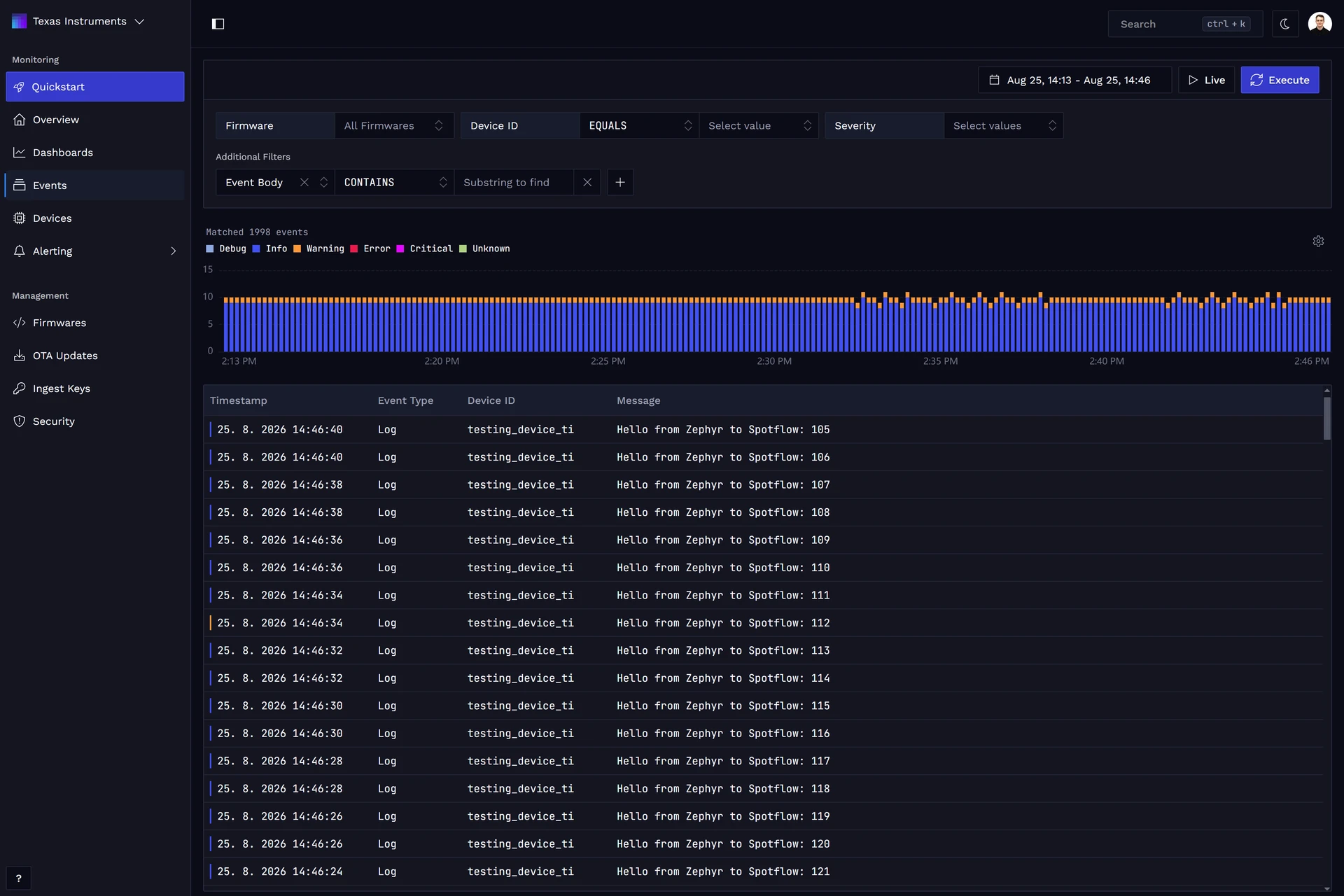
Open Device Events and filter by the configured CC35X1 device ID. Use the timestamp, severity, message content, and metadata filters to inspect the logs sent over Wi-Fi.
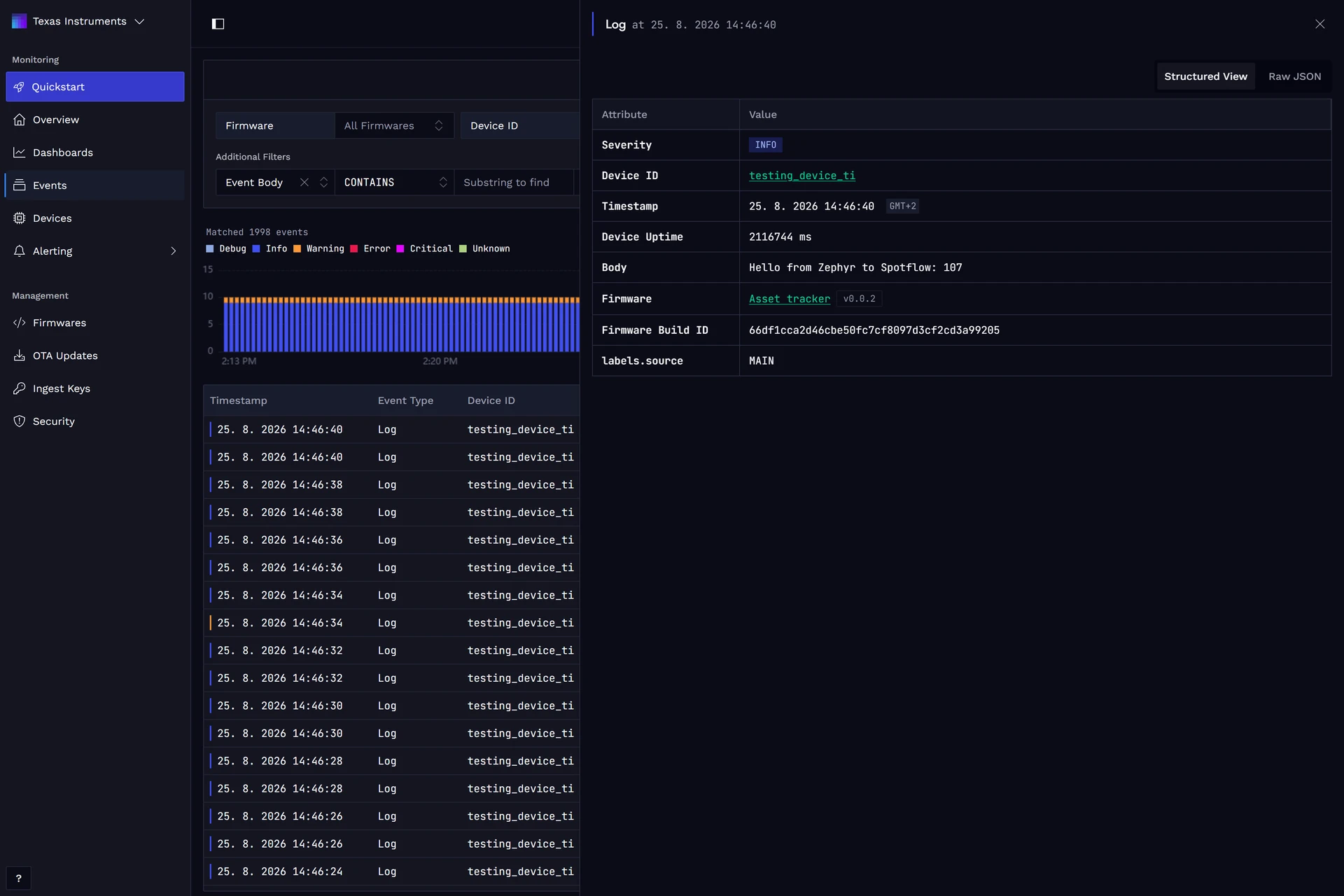
Select a log to inspect its fields or add its metadata to the current query:
Continue exploring Spotflow features
Continue with Zephyr Metrics or Zephyr Crash Reports after verifying the logging sample.