Alerts
Learn how to configure alert rules in Spotflow, understand how alerts are evaluated, and send notifications to the right people.
This page walks you through key aspects of Spotflow alerting, from defining alert rules over device metrics, through understanding how evaluations and alert resolution work, to configuring email notification targets.
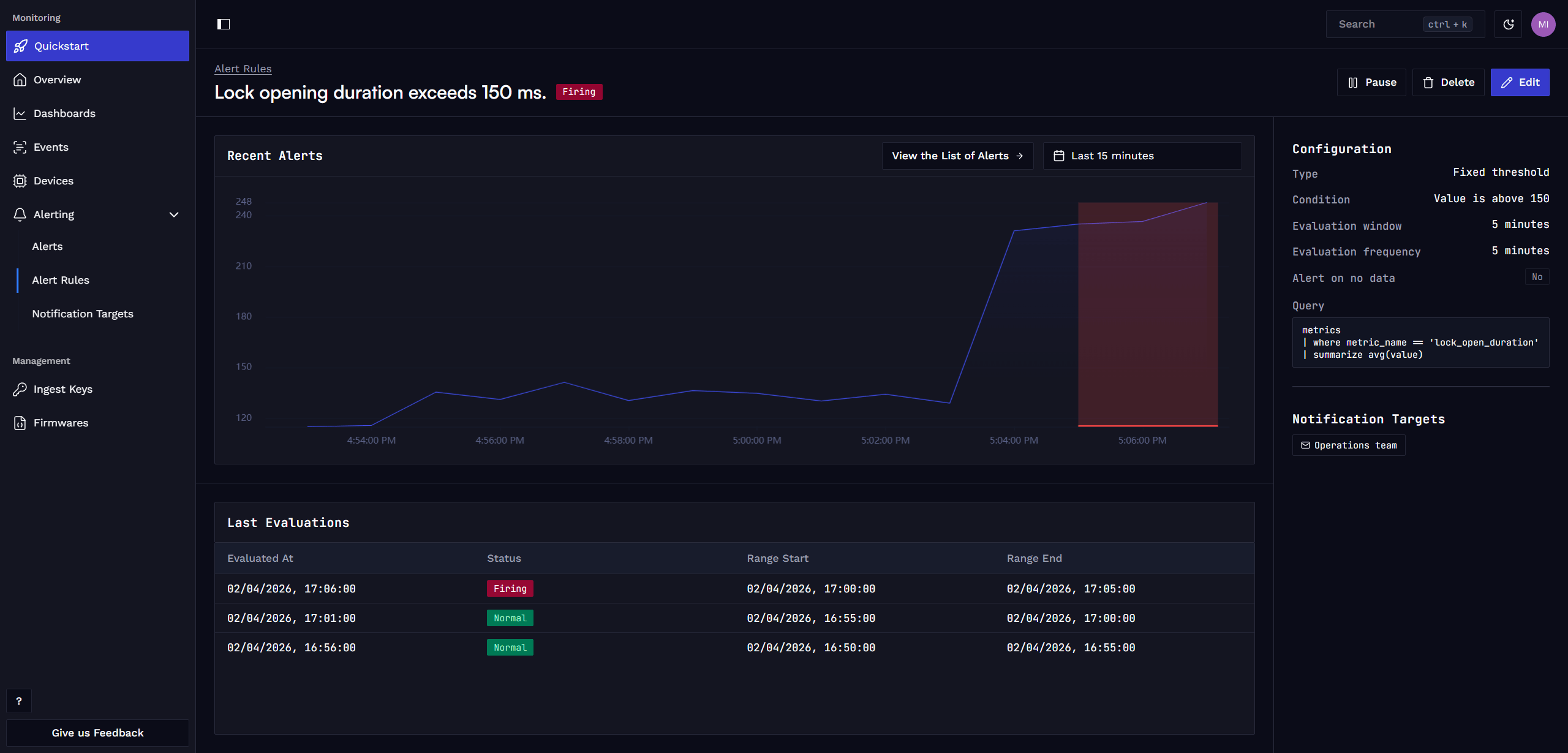
Device Metrics Integration
Spotflow allows you to define alerting rules based on metrics collected from your embedded devices.
Guide: Gathering Metrics with Zephyr or Nordic nRF Connect SDK
The Spotflow device module can collect system metrics automatically and send them to Spotflow without additional instrumentation. It also provides functions for registering and reporting custom application metrics.
Guide: Gathering Metrics with MQTT
For devices running other platforms or when you cannot use the Spotflow device module, integration is also possible via the standard MQTT interface.
The Spotflow platform exposes a scalable MQTT broker accessible from anywhere on the internet that can be used to ingest metrics. See Transport Protocol section for details.
Alert Rules
Alert rules define the conditions under which you want to be notified about certain events or changes in your embedded device fleet. You can create alert rules based on System Metrics (e.g. CPU usage, memory usage) or Custom Application Metrics (e.g. button presses, battery level, operation duration).
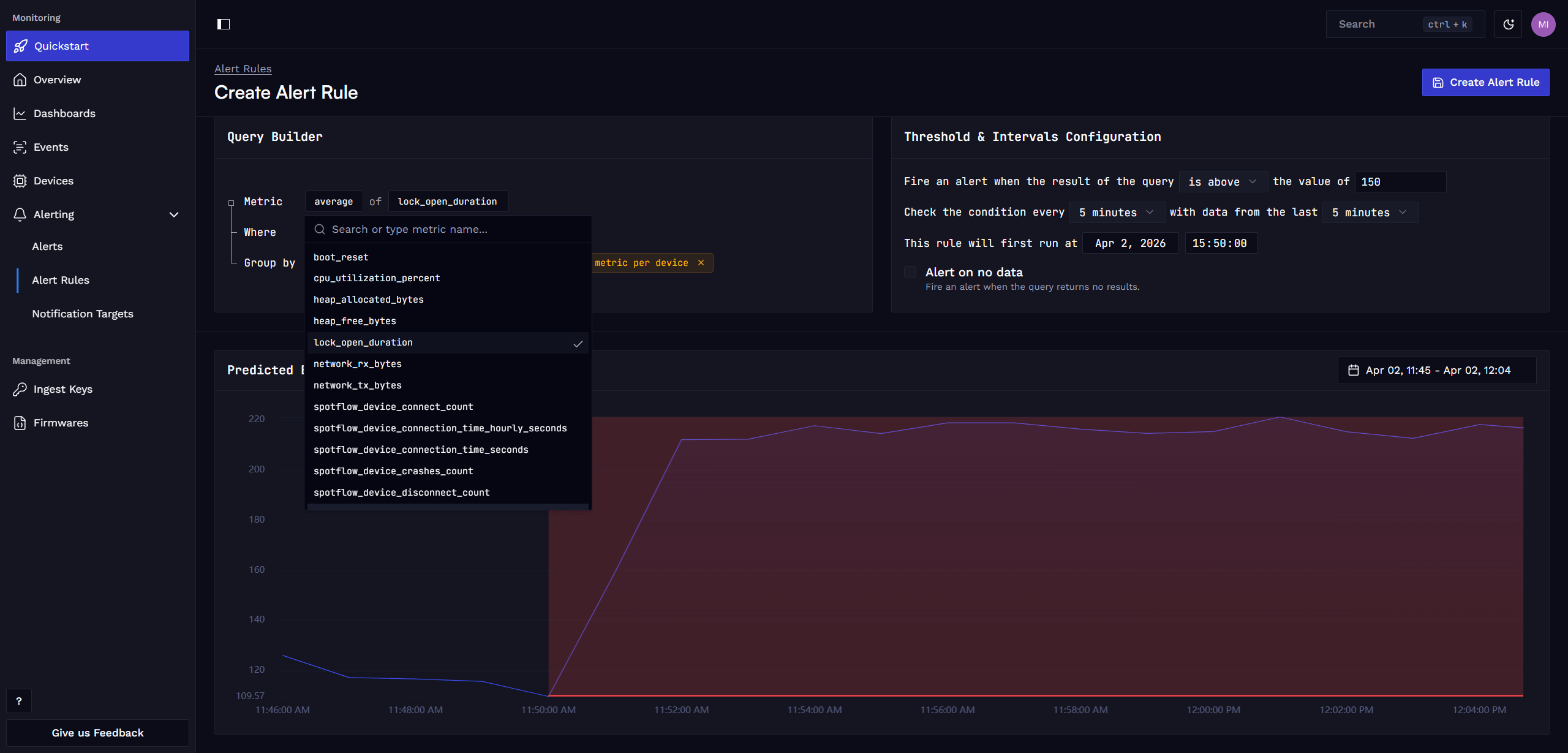
Query
The core of an alert rule is a query that selects the relevant metric data. The query can either return:
- A single time series. E.g. average CPU usage across all devices or for a specific device.
- Multiple time series. E.g. CPU usage for each individual device.
Condition
The condition defines the criteria that trigger an alert. An alert is triggered when any of the returned time series meet the specified condition. For example, if the query is grouped by device ID, an alert is triggered when any one device exceeds the threshold.
Spotflow supports two types of conditions:
- Threshold: Alert when a metric crosses a fixed threshold value. For example, CPU usage above 90%.
- Percentual Change: Alert when a metric changes by a percentage over time. For example, battery voltage drops by 20%.
Optionally, you can also configure an alert to trigger when no data is received, which is useful for detecting a device going offline or failing to report a specific metric.
Intervals Configuration
Alert rules are evaluated at regular intervals, which can be configured when creating the alert rule.
You can specify:
- Evaluation Interval: How often the alert rule is evaluated. For example, every 5 minutes.
- Evaluation Window: The time range of data that is considered for evaluation. For example, the last 1 hour.
- First Evaluation At: When the first evaluation should happen. For example, immediately, at the start of the next hour or at midnight.
Alert
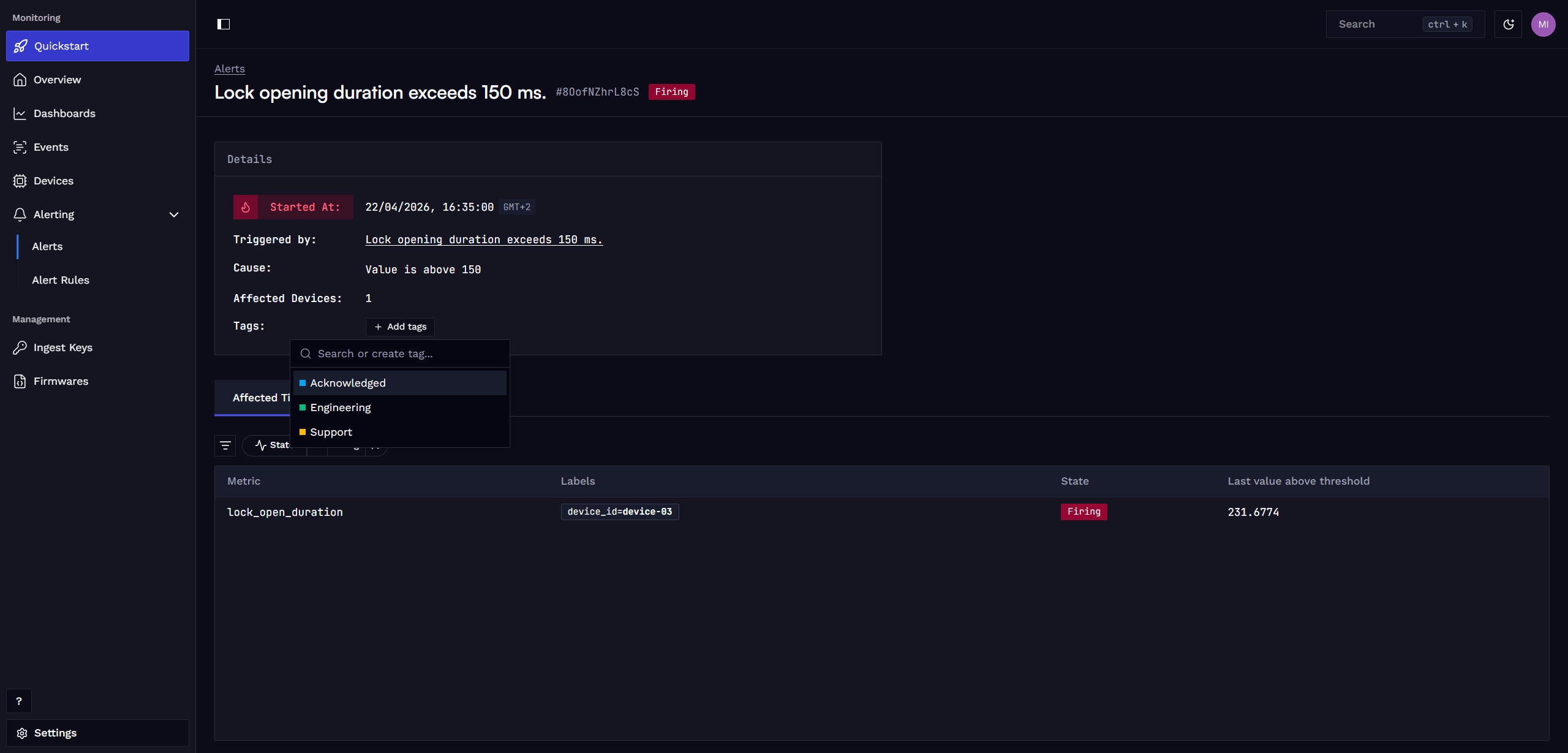
When the condition of an alert rule is met, an alert is triggered. The alert contains information about the time it was triggered, the metric values that caused the trigger, and any relevant metadata (e.g. device ID).
You can also assign custom tags to the alerts to filter them in the alert list.
Alert Resolution
When an alert is triggered, it remains active until the condition is no longer met. For example, if the CPU usage remains above 90%, the alert stays active. Once the CPU usage drops below 90%, the alert will resolve.
Notification Targets
When an alert is triggered or resolved, Spotflow can send email notifications to ensure that the right people are informed.
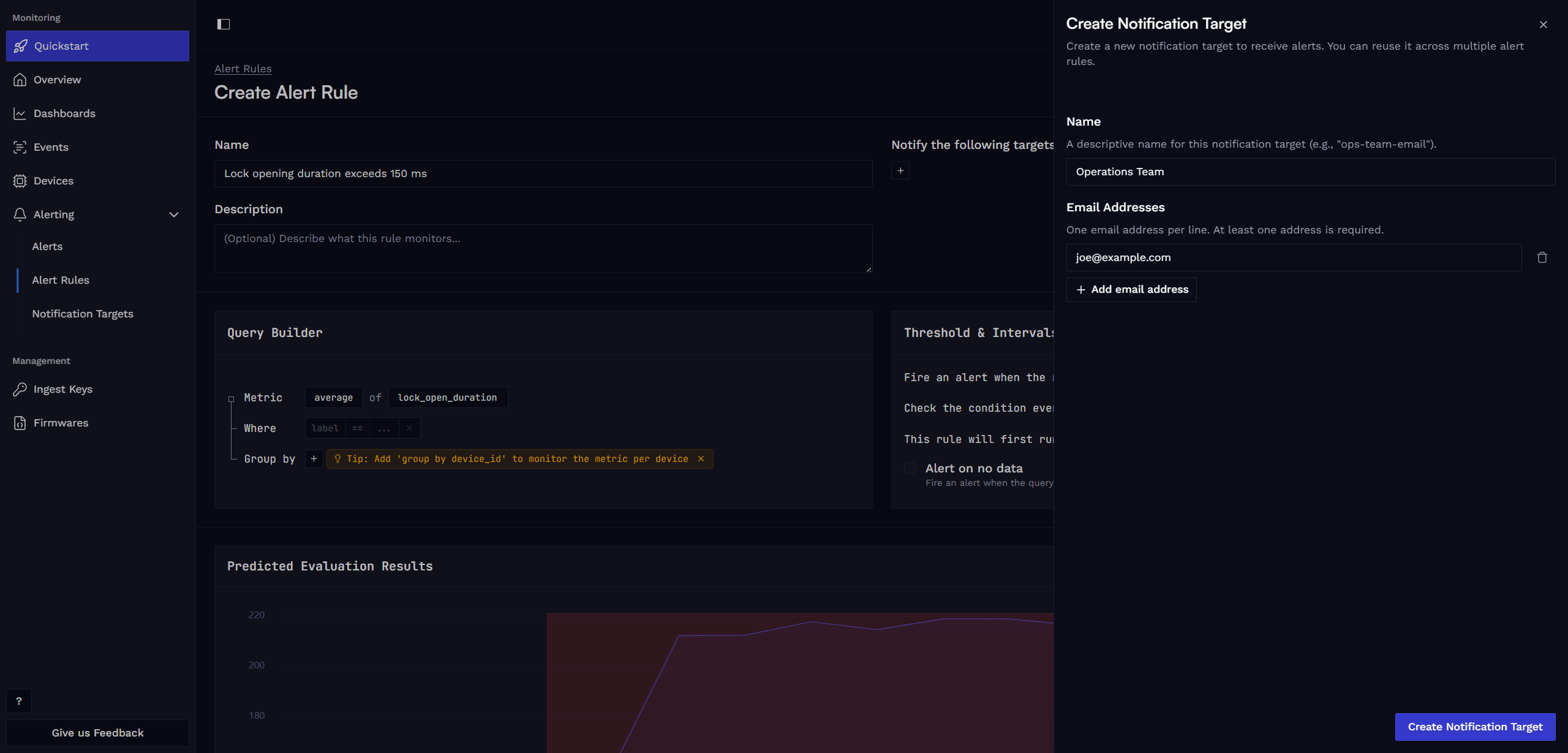
A Notification Target is a group of email addresses that can be reused across multiple alert rules. For example, you can have a target for the operations team and use it in all critical alert rules.
If you wish to use a different notification method, please open a Feature request or let us know via email hello@spotflow.io or our Discord. We will be happy to work with you to incorporate necessary changes to the platform or find other suitable solution.
Learn more
Fundamentals: Metrics
Guide: Metrics with Zephyr
Guide: Metrics with MQTT
Guide: Create custom dashboard
How is this guide?